Youtube Playlist Video Player 1.11.0 – WordPress Responsive Plugin
Description
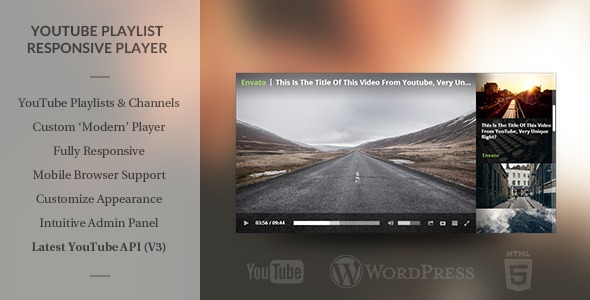
The YouTube Playlist Video Player is a WordPress plugin designed for embedding YouTube playlists with a responsive player that feels consistent with your site. Instead of using YouTube’s default player interface, it lets you load playlist content by ID (or a channel ID) and present it through a custom, WordPress-friendly video experience.
Built to adapt to different screen sizes, the player resizes intelligently and runs smoothly on mobile devices. You can customize the player’s appearance and behavior directly from an intuitive admin panel, so your pages and templates keep a polished look.
When you’re ready to publish, the shortcode generator helps you add the player to posts or pages easily, making it a practical choice for content built with WordPress themes and page builders like Elementor.
Main Features
- Responsive YouTube playlist playback — Automatically resizes to fit the layout on desktop, tablet, and mobile.
- Playlist ID input — Load a playlist directly using a YouTube playlist ID as the source.
- Channel ID support — Use a channel ID to pull in playlist-related content from a YouTube channel source.
- Video ID array option — Build a playlist-style queue from an array of YouTube video IDs.
- Custom player interface — Uses a tailored interface instead of YouTube’s default controls and layout.
- Admin panel customization — Adjust appearance and multiple player settings from a dedicated WordPress admin interface.
- Mobile-friendly performance — Smooth playback behavior optimized for small screens.
- Shortcode generator — Create the correct shortcode and insert the player into posts or pages from the editor.
Benefits
- Better on-site UX — A custom interface helps the video section match your WordPress layout.
- Higher engagement — Playlist-style viewing encourages users to continue watching without leaving the page.
- Consistent responsive design — Intelligent resizing improves readability and player usability across devices.
- Faster publishing workflow — The shortcode generator reduces manual setup time for editors.
- More flexible content placement — Shortcodes make it easy to place videos in templates, sections, or Elementor layouts.
Who is it suitable for?
- WooCommerce store owners promoting product videos or brand playlists
- Bloggers and content creators embedding video playlists in posts
- Agencies building WordPress sites for multiple clients
- Education and training sites publishing course-style playlist pages
- Websites using Elementor themes and custom page templates
- Marketing teams organizing campaign videos into playlist queues