YoBro 2.4 – WordPress Private Messaging Plugin
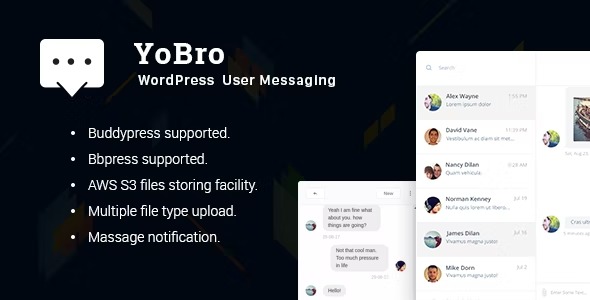
YoBro is a WordPress messaging plugin that lets users send private messages, attach images and media, and receive unread message notifications with a built-in privacy system. The main benefit is seamless, real-time communication that keeps conversations private and organized, plus easy integration with bbPress & BuddyPress. Ready to upgrade your site’s social interactions?
Description
YoBro is a WordPress messaging plugin that adds a private, end-to-end user communication system to your site. It helps solve the common problem of keeping member conversations organized while maintaining privacy. With a React-Redux powered interface, users can message each other in a seamless, real-time flow. YoBro also brings clarity by showing unread message notifications and supporting media uploads inside conversations.
Designed to fit naturally with community platforms, YoBro integrates with bbPress and BuddyPress. This makes it a practical upgrade for sites that already use these ecosystems and want richer social interactions without replacing their existing structure.
Main Features
- Private user messaging — Enables direct conversations between WordPress users.
- Unread message notifications — Notifies users when new messages arrive so nothing gets missed.
- Image and media attachments — Lets users upload images and media files within their messages.
- Built-in privacy system — Helps protect message visibility and keeps communication private.
- Real-time communication experience — Supports a smooth messaging flow for ongoing conversations.
- React-Redux powered UI — Provides a structured, responsive messaging interface.
- bbPress integration — Works alongside bbPress community features.
- BuddyPress integration — Complements BuddyPress activity and social profiles.
Benefits
- More private engagement — Encourages member-to-member communication within controlled privacy rules.
- Better conversation clarity — Unread notifications help users track what needs attention.
- Richer message context — Media attachments make instructions, examples, and updates easier to share.
- Improved user experience — A responsive, messaging-first interface keeps interaction smooth.
- Stronger community workflows — Integration with bbPress and BuddyPress supports existing social structures.
Who is it suitable for?
- bbPress forums that need private member messaging
- BuddyPress communities looking to enhance social interaction
- WordPress sites with user-to-user support or coordination needs
- Online communities managing ongoing discussions beyond public threads
- Agencies building interactive WordPress community experiences
- Content-driven sites that want organized, private member communication