Yackind – Street Photography Portfolio Elementor Template Kit
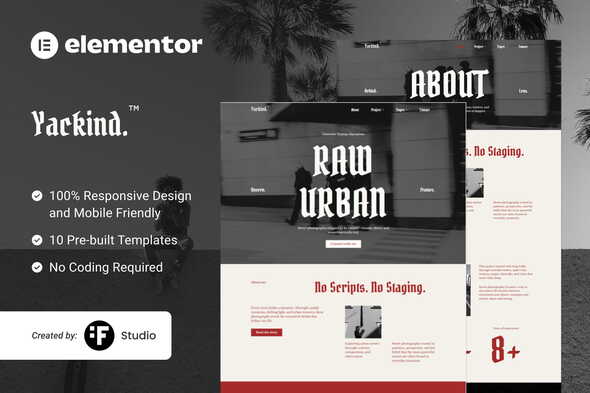
Create a polished online presence with Yackind – Street Photography Portfolio Elementor Template Kit, a WordPress Elementor template kit in the photography portfolio category. It helps you publish a responsive street photography showcase, organize images with clean gallery layouts, and customize typography and sections in Elementor for a faster, more consistent portfolio experience.
Description
Yackind – Street Photography Portfolio Elementor Template Kit is a WordPress template kit built for showcasing street photography in a polished, gallery-first layout. If you want to present your work with strong visual structure, this kit helps you assemble a complete portfolio without starting from scratch.
Designed for use with Elementor, it streamlines the creation of key pages such as a photography portfolio and supporting sections. The result is a consistent look and smoother editing experience inside your WordPress dashboard, whether you’re launching a new site or refreshing an existing one.
Main Features
- Elementor-based template kit — Use prebuilt layouts directly in Elementor for faster page creation.
- Portfolio gallery layouts — Showcase photos in grid-friendly sections that highlight visual work.
- Homepage and landing sections — Provide ready-to-use content blocks for introducing your photography.
- Project/collection presentation — Organize photography content to keep visitors focused on the images.
- About-style layout blocks — Add context about your style, approach, or background alongside your work.
- Contact-ready section — Include a layout designed for visitor inquiries and collaboration.
- Responsive design — Maintains a usable viewing experience across mobile, tablet, and desktop.
- Consistent typography and spacing — Helps keep branding and readability uniform throughout the site.
Benefits
- Faster setup — Start with ready-made Elementor sections instead of building pages from scratch.
- Better UX — Gallery-first organization helps visitors browse and understand your portfolio quickly.
- More consistent branding — Uniform spacing and styling create a cohesive look across pages.
- Improved content clarity — Structured sections make it easier to pair images with descriptions and context.
- Efficient edits — Update layouts in Elementor with less effort when you add new photos.
Who is it suitable for?
- Street photographers building a portfolio website on WordPress.
- Creative freelancers who need an attractive photography landing page quickly.
- Photography blogs that want a gallery-forward presentation.
- Agencies creating website concepts for visual creators using Elementor.
- Designers and template users who prefer editing with Elementor over custom coding.
- Content creators showcasing photography projects in a structured way.