Yabe Webfont 2.0.62 – The GDPR-friendly Font Plugin for WordPress
Yabe Webfont lets you self-host Google Fonts and manage custom fonts directly in WordPress page builders, delivering fast typography and consistent branding. The main benefit is improved site speed and reliable font rendering across layouts, with effortless integration and a clean UI. Type: WordPress.
Description
Yabe Webfont is a WordPress plugin that helps you self-host Google Fonts and manage custom fonts inside your site. Instead of loading typography from external sources, it gives you a consistent way to control how fonts are delivered across pages built with WordPress page builders.
It’s designed to solve common font issues like slow loading, mismatched typography between layouts, and unreliable rendering when using multiple templates. With a clean interface and straightforward integration, you can keep your branding consistent while improving performance and readability.
Main Features
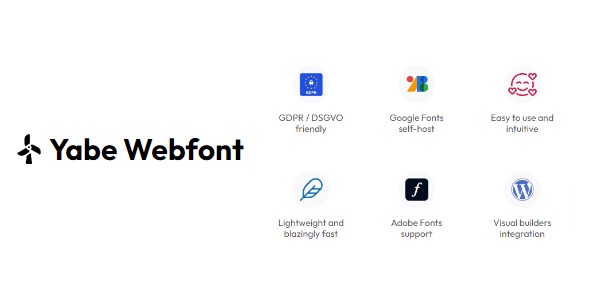
- Self-host Google Fonts — Serve Google Font files from your WordPress setup for more predictable font delivery.
- Custom font management — Add and organize fonts used throughout your website’s designs.
- Page builder font control — Select and apply fonts directly in common WordPress page builder workflows.
- Consistent typography across layouts — Keep headers, body text, and sections aligned across different templates.
- Improved font loading performance — Reduce dependency on third-party font requests to support faster page experiences.
- Reliable font rendering — Help avoid layout shifts and inconsistent display caused by external font timing.
- Clean admin UI — Manage font settings with an interface built for practical day-to-day editing.
- Theme and template compatibility — Works within typical WordPress theme and template kit setups for smoother integration.
Benefits
- Faster site speed — Fewer external font calls can reduce load delays and improve perceived performance.
- Better user experience — Consistent rendering helps prevent jarring typography changes while browsing.
- More consistent branding — Centralized font choices keep your design language uniform across pages.
- Streamlined editing — Apply and manage fonts within your page builder workflow instead of juggling separate tools.
- More dependable UX at scale — Reliable typography behavior supports multi-template sites and growing content libraries.
- SEO-friendly performance — Improved speed and stable layout behavior can support stronger overall site metrics.
Who is it suitable for?
- WooCommerce stores focused on consistent product and category typography.
- WordPress blogs and content sites using multiple templates and sections.
- Designers and agencies building sites with WordPress page builders.
- Landing page creators who need reliable fonts across campaigns.
- Small teams maintaining branding across many pages.
- Marketing sites that prioritize speed and stable rendering.