Xshapp – App Landing Elementor Template Kit
| Cetegory: | Technology & Apps |
|---|---|
| Full Preview: | Xshapp |
| More Info: | Themeforest |
| HOW TO INSTALL |
Description
Introduction
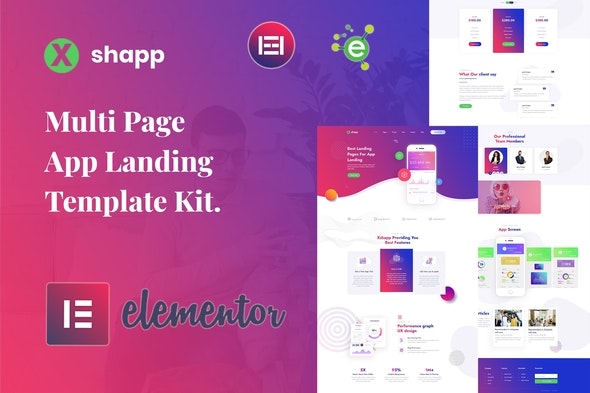
Xshapp Multipage App Landing Elementor Template Kit is a creative, modern, clean, and user-friendly design for the Mobile App Landing Web Page. Its not only for mobile apps but also for mobile games showcase or any application website showcase. It includes stunning, powerful, and unique landing page templates that are perfect for promoting apps or web services & made for iOS and Android apps makers.
Xshapp Templates
- Home Page
- About Page
- Services Page
- Pricing Page
- Blog Page
- Blog-single Page
- Contact Page
- 404 Page
- Coming-soon Page
-
Block/Sections
- Header Section
- Footer Section
- 404 Section
- App-brief Section
- App-screen Section
- Banner Section
- Blog Section
- Client-logos Section
- Contact Section
- Dashboard Section
- Features Section
- Hero Section
- Pricing-table Section
- Team Section
- Testimonial Section
Xshapp Features
- No Elementor Pro needed
- 09 Incredible Template Pages
- 15 Different Sections Templates
- 24 Elementor Templates
- Clean, Professional and modern Design
- Google Fonts easily expand to 600 Google Fonts
- and much more!
Required Plugins
No pro or premium plugin required. All of these are Free plugin from WordPress.org
- Elementor
- ElementsKit Lite
- Elementor Header, Footer & Blocks
- PowerPack Lite for Elementor
- Contact Form 7
How to Install:
- Install and Activate the Envato Elements plugin from Plugins > Add New in WordPress
- Do not unzip
- Go to Elements > Installed Kits and click the Upload Template Kit button.
- Before importing a template, ensure the Install Requirements button is clicked to activate required plugins
- For best results, do not import more than one template at a time.
For further support, go to Elementor > Get Help in WordPress menu.
Setup Global Header and Footer in Header Footer & Blocks plugin
- Import the header and footer template
- Go to Appearance > Header Footer and click Add New button
- Give it a title and select Header, Display on Entire Site and click Publish
- Click Edit with Elementor
- Click the gray folder icon to access My Templates tab and select the header template to import and Update.
- Repeat for Footer
- https://elements.envato.com/image-4LH3GB9
- https://elements.envato.com/image-URMUBDU
- https://elements.envato.com/image-7JCLTAH
- https://elements.envato.com/image-JA74V7F
- https://elements.envato.com/image-EDLH44H
- https://elements.envato.com/image-R3C4GL6
- https://elements.envato.com/image-PZ2NSXN
- https://elements.envato.com/image-ETF3GV9
- https://elements.envato.com/image-TPLJ7ER
Change log
- Initial release