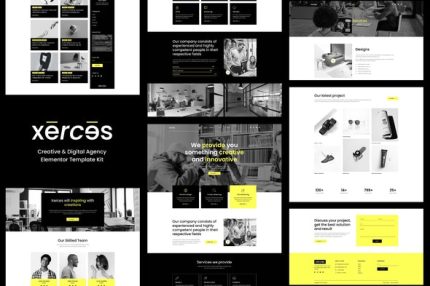
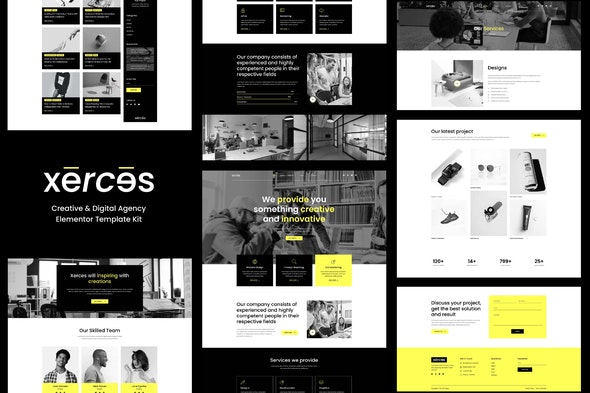
Xerces – Creative & Digital Agency Elementor Template Kit
| Cetegory: | Creative & Design |
|---|---|
| Full Preview: | Xerces |
| More Info: | Themeforest |
| HOW TO INSTALL |
Description
Xerces Creative & Digital Agency Elementor Template Kit created especially for Designers, Freelancers, and Online Portfolios for companies or individuals. Xerces has a simple, modern and clean design with 100% responsive layout, and very easy to customize and can be used by anyone without having to understand coding.
This template kit includes stunning carefully crafted 15+ Pages and 17+ Stunning Templates, you can build your professional-looking portfolio website just a click away.
Features:
- Using Free Plugins (Elementor Pro is not required)
- Unique & Clean Design
- 15+ Ready to Use Pages
- 17+ Ready to Use Templates
- Fully Responsive Layout
- Fully Customizable
- Cross Browser Compatibility: Chrome, Firefox, Safari, Opera
Templates Include:
- Global Theme Style
- Home
- About
- Services
- Service Details
- Portfolio
- Single Portfolio
- Office
- Coming Soon
- FAQs Page
- Pricing
- Team
- Working Process
- Blog
- Single Post
- Contact
- 404 Page
- Header
- Footer
Required Plugin:
- Elementor
- ElementsKit Lite
- Elementor Header, Footer & Blocks
- Sticky Header Effect for Elementor
- WPForms Lite
- DethemeKit for Elementor
How to Install:
- Install and Activate the Envato Elements plugin from Plugins > Add New in WordPress
- Download your kit file and Do not unzip
- Go to Elements > Installed Kits and click the Upload Template Kit button. You may also import automatically by clicking Connect Account to link your Elements subscription, then import under Elements > Template Kits
- Check for the orange banner at the top and click Install Requirements to load any plugins the kit uses
- Click import on the Global Kit Styles first
- Click Import on one template at a time. These are stored in Elementor under Templates > Saved Templates
- Go to Pages and create a new page and click Edit with Elementor
- Click the gear icon at lower-left of the builder to view page settings and choose Elementor Full Width and hide page title
- Click the gray folder icon to access My Templates tab and then Import the page youd like to customize
For further support, go to Elementor > Get Help in WordPress menu.
Setup Global Header and Footer in ElementsKit
- Import the header and footer template
- Go to ElementsKit > Header Footer select Header and click Add New
- Give it a title, leave Entire Site selected and toggle Activation to On
- Click the template title and Edit Content
- Click the gray folder icon and select the header template to import and Update.
- Repeat for Footer
Notes :
This Template Kit uses demo images from Envato Elements. You will need to license these images from Envato Elements to use them on your website, or you can substitute them with your own.
- https://elements.envato.com/image-6GJTM9V
- https://elements.envato.com/image-FV79NSV
- https://elements.envato.com/image-NSCHXR7
- https://elements.envato.com/image-MHQ6F8X
- https://elements.envato.com/image-U592GSS
- https://elements.envato.com/image-FC5TV77
- https://elements.envato.com/image-HELQBXA
- https://elements.envato.com/image-CAJQK28
- https://elements.envato.com/image-6PCNF3S
- https://elements.envato.com/image-XATRMJT
- https://elements.envato.com/image-TH5SRGY
- https://elements.envato.com/image-4AKW6KS
- https://elements.envato.com/image-PT3JHLD
- https://elements.envato.com/image-B4WZ9ZS
- https://elements.envato.com/image-EJHWY72
- https://elements.envato.com/image-U4AZ332
- https://elements.envato.com/image-PBFJNAY
- https://elements.envato.com/image-UHCUVNW
- https://elements.envato.com/image-GGJDC4K
- https://elements.envato.com/image-FU7RKMN
- https://elements.envato.com/image-DUJ45VK
- https://elements.envato.com/image-ML9WNP6
- https://elements.envato.com/image-C3NC7Q4
- https://elements.envato.com/image-32N6YV8
- https://elements.envato.com/image-BW5KVKB