XenHost – Web Hosting Elementor Template Kits
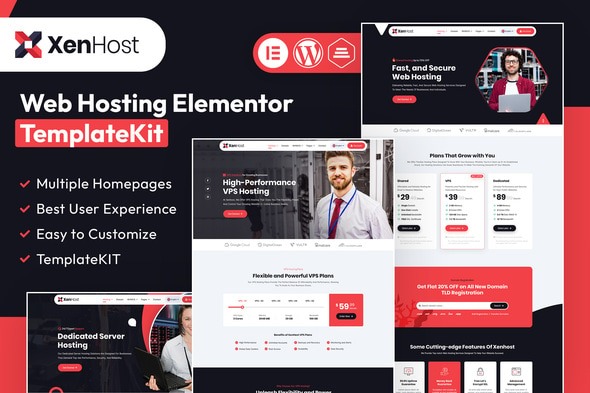
XenHost is a WordPress template kit crafted for web hosting providers, offering sleek design, plug-and-play WHMCS integration, and ready-made pages to showcase plans, data centers, and client testimonials. Benefit: fast setup, professional look, and easy customization with editable components. Explore this template kit and build a standout hosting site with confidence.
Description
XenHost is an Elementor template kit made for WordPress web hosting providers who need a polished, ready-to-launch website. It helps you present key services like hosting plans, data center highlights, and client testimonials in a clear, professional layout. Built with reusable sections and editable components, XenHost streamlines page creation without requiring you to start from scratch. It also supports plug-and-play WHMCS integration, so your hosting workflows can connect smoothly to the site experience. With templates designed for hosting audiences, you can focus on content and branding while keeping a consistent, modern look.
Main Features
- Elementor template kit — Prebuilt templates you can edit directly in Elementor on WordPress.
- Sleek hosting-focused design — Layouts tailored to web hosting businesses and service presentation.
- WHMCS integration elements — Includes components intended for seamless WHMCS connectivity.
- Ready-made plan showcases — Sections built to display hosting packages and plan benefits.
- Data center presentation blocks — Templates for highlighting capabilities and infrastructure.
- Client testimonials layouts — Dedicated areas to build credibility with social proof.
- Editable buttons and typography — Customize CTAs, headings, and text styling with Elementor controls.
- Reusable page templates — Build consistent pages quickly using standardized sections.
Benefits
- Faster setup — Start from structured templates to reduce time spent on layout and styling.
- Professional appearance — Hosting-specific design helps communicate trust and service value.
- Improved user experience — Clear plan and testimonial sections guide visitors to relevant information.
- Easy customization — Edit components like typography and buttons to match your brand consistently.
- Better conversion readiness — Strategically placed CTAs support informed visitor decisions.
- Integration alignment — WHMCS-ready elements help connect hosting operations with your website flow.
Who is it suitable for?
- Web hosting providers setting up a new WordPress site
- WHMCS-based hosting businesses that want an Elementor build
- Agencies designing hosting websites for clients
- IT and infrastructure companies showcasing data center capabilities
- Startup hosting brands needing a fast, professional launch
- Freelancers creating marketing pages for hosting offers