wphave Admin 2.7 – A clean and modern WordPress Admin Theme
Description
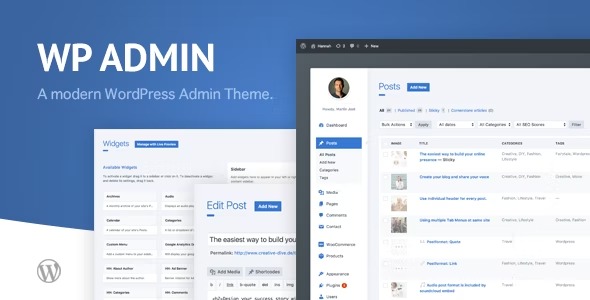
wphave Admin is a WordPress plugin that provides a modern, clean admin theme for WordPress dashboard screens. It helps you reduce clutter and create a more polished back end experience that feels consistent with your site’s style. Instead of bouncing between scattered indicators, it streamlines your workflow with practical insights such as wp memory usage. You can also customize the admin interface using flexible theme colors and a custom login page, so your WordPress sign-in and dashboard reflect the look you want.
For creators who manage WordPress projects often, wphave Admin supports easier day-to-day work by improving readability, usability, and visual cohesion across the WordPress admin area. The result is a dashboard that is simpler to navigate and easier to tailor to your preferences.
Main Features
- Modern admin theme design — Refreshes the WordPress dashboard with a clean, modern layout.
- wp memory usage insights — Displays memory usage information to help you spot resource-related issues faster.
- Custom login page — Replaces the default login experience with a tailored sign-in screen.
- Flexible theme colors — Lets you adjust admin colors for better visual alignment with your brand.
- Easy customization — Provides straightforward controls so you can update the admin look without complexity.
- Streamlined dashboard workflow — Organizes the admin experience to reduce time spent navigating cluttered screens.
- Improved admin usability — Enhances clarity and usability for everyday WordPress management tasks.
- Polished visual consistency — Helps keep the WordPress back end feeling cohesive across your sites.
Benefits
- Quicker troubleshooting — Memory usage visibility supports faster diagnosis of performance-related admin problems.
- Better usability — A cleaner dashboard improves navigation and reduces friction during daily updates.
- Stronger UX consistency — Custom colors and a branded login help create a cohesive experience for users.
- Less customization effort — Simple settings make it easier to adjust the admin interface to your preferences.
- More efficient workflow — A streamlined admin layout helps you move through tasks with less distraction.
Who is it suitable for?
- WordPress site owners and content creators who want a cleaner admin dashboard
- Freelancers and agencies managing multiple WordPress client sites
- Website developers who monitor memory usage and want clearer admin visibility
- WooCommerce store administrators who spend a lot of time in the WordPress back end
- Blog and publication teams seeking better dashboard readability
- Technical teams standardizing a consistent admin experience across projects