wpForo User Mentioning 3.3.3
wpForo User Mentioning is a lightweight WordPress forum addon that lets you effortlessly mention users in topics and posts with an @ autocomplete popup for quick tagging; it boosts engagement via instant notifications and smooth tagging, while its clean integration and ease of use make it a no-brainer for active forums. type: WordPress plugin.
Description
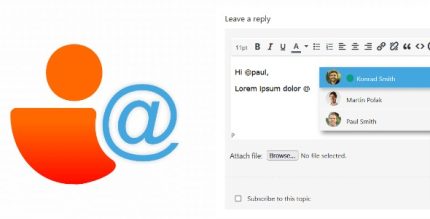
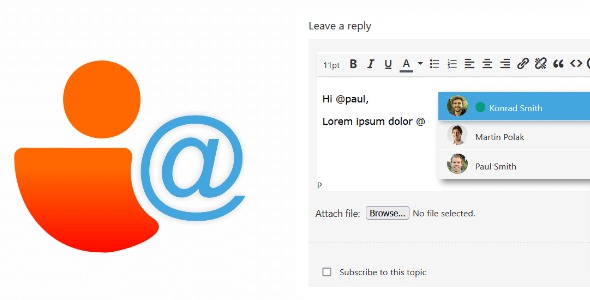
wpForo User Mentioning is a lightweight WordPress forum add-on for wpForo that makes it easy to mention other members directly inside topic and post editors. When you type an @ symbol, it shows a small autocomplete popup with user suggestions. This solves a common forum workflow problem: finding the right member quickly while writing, without manual usernames.
After you select a user from the suggestion list (using arrow keys and Enter), the mention is inserted into your post. The mentioned users receive an email notification letting them know where they were mentioned, helping keep discussions visible and timely in your community.
Main Features
- Inline user mentions — Mention users directly while editing topics and posts in wpForo.
- @ autocomplete popup — Triggers a suggestions window when you start typing with the @ symbol.
- User suggestion list — Displays available users so you can quickly select the correct account.
- Keyboard navigation — Use up/down arrows to browse suggestions.
- Enter to select — Press Enter to insert the chosen user mention.
- Clean editor integration — Works within the wpForo topic/post editor experience without changing your workflow.
- Email notifications — Notifies mentioned users by email about the topic or reply where they were tagged.
Benefits
- Faster tagging — Reduces time spent searching for usernames while composing replies.
- More engagement — Helps draw attention to relevant members, encouraging participation in threads.
- Better UX for authors — Keeps the mention process smooth with autocomplete and quick keyboard selection.
- Timely awareness — Email alerts bring mentioned users into the conversation when it matters most.
- Community clarity — Makes responsibility and references clearer by linking mentions to specific replies and topics.
Who is it suitable for?
- wpForo forum owners running active community discussions
- Moderators and admins who coordinate member replies and acknowledgements
- Websites with support, Q&A, or helpdesk-style forum sections
- Membership platforms that rely on member-to-member collaboration
- Agencies managing WordPress community sites built with wpForo