
wpDiscuz Voice Commenting 1.0.3
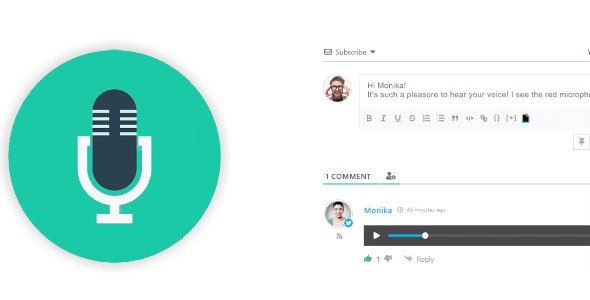
wpDiscuz Voice Commenting is a WordPress plugin that lets readers respond with their voice, adding authentic audio comments to discussions. Benefit: boosts engagement and accessibility by letting users record and post voice replies directly in the comment thread. Bonus: easy microphone integration with built-in audio players and simple controls for a seamless experience. Dive in today.
Description
wpDiscuz Voice Commenting is a WordPress plugin that adds voice-based responses to your comment threads. Instead of typing replies, readers can click a microphone icon in the comment editor toolbar and record an audio message.
It helps solve the common “comment fatigue” problem by making discussion more natural and accessible, especially for users who prefer speaking over writing. Voice messages are posted as comments or replies and displayed with in-thread audio players, so visitors can play and review what others said. Built-in recording controls keep the workflow simple and straightforward inside your existing wpDiscuz setup.
Main Features
- Voice reply recording — Record a reply directly from the comment editor using the microphone icon.
- Post as comment or reply — Submit the recorded voice message as a new comment or a threaded reply.
- In-thread audio players — Display voice comments with built-in audio players inside the discussion.
- Play controls for readers — Visitors can click the play button to listen to messages in the comment area.
- Recording state controls — During recording, the interface switches to stop and cancel options.
- Stop and cancel handling — Stop to finish the recording, or cancel to discard it before posting.
- Managed maximum duration — Control the maximum length of voice comments in the addon settings page.
Benefits
- Higher engagement — Audio replies lower friction and encourage more participation in discussions.
- Improved accessibility — Gives users an alternative to typing, supporting different communication preferences.
- Better on-page experience — Built-in audio players keep listening within the comment thread for smoother UX.
- More authentic interaction — Voice messages can feel more personal than text-only comments, strengthening community tone.
- Clear recording workflow — Simple stop/cancel controls help users record confidently and post only what they intend.
Who is it suitable for?
- WooCommerce stores and product blogs that rely on community feedback
- News and magazine sites using WordPress comments for audience discussion
- Membership communities that want a more personal discussion format
- Education and knowledge-base sites where voice explanations improve clarity
- Agencies and website teams adding engagement features to client WordPress projects
