WP Ultra Filter 1.0.2
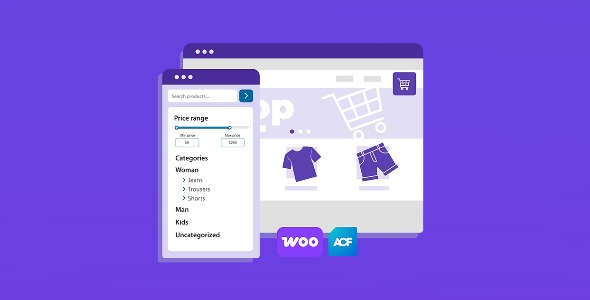
WP Ultra Filter is a WordPress product filter plugin designed to help visitors quickly narrow down listings and find relevant content. Create cleaner browsing experiences with refined filtering and sorting, reducing friction and improving engagement. Ideal for sites that need smarter navigation, it complements WordPress catalogs and enhances discovery across pages.
Description
WP Ultra Filter is a WordPress plugin that helps visitors quickly narrow down large sets of content and products using on-page filters. If your site has many posts, categories, or WooCommerce items, browsing can become slow and frustrating. This plugin streamlines discovery by letting users select filtering criteria instead of scrolling through everything.
It’s useful for improving navigation on WordPress and WooCommerce websites where users want precise results, whether they’re looking for specific product types, attributes, or related topics. With an interface built for interactive filtering, it supports better browsing experiences on both desktop and mobile layouts.
Main Features
- Dynamic filter controls — Provide a UI for selecting criteria that narrows results instantly.
- Taxonomy filtering — Filter by categories, tags, and other WordPress taxonomies.
- WooCommerce compatibility — Apply filtering logic to product listings on WooCommerce pages.
- Attribute-based product filters — Let shoppers refine products by attributes used on your catalog.
- Price range filtering — Enable visitors to limit products to a specific budget range.
- Search and sorting options — Combine filters with keyword search and ordering for better results.
- AJAX-style result updates — Refresh the results list without forcing a full page reload.
- Responsive frontend layout — Maintain usable filter controls across mobile, tablet, and desktop screens.
- Custom styling options — Match the filter appearance to your theme’s look and spacing.
Benefits
- Higher product discovery — Visitors reach relevant items faster, reducing time spent browsing.
- Better UX — Interactive filtering provides a smoother experience than manual navigation.
- Improved conversions — Clearer browsing paths can increase add-to-cart and checkout intent.
- Lower bounce rates — Users are less likely to leave when results match their preferences.
- More efficient site navigation — Editors can keep catalogs larger without overwhelming users.
Who is it suitable for?
- WooCommerce stores with many products and variations
- WordPress blogs or magazines with heavy category/tag archives
- Online catalogs and directories (services, listings, collections)
- Agencies building WordPress sites that need structured filtering
- Content-heavy sites where users need quick ways to find specific topics
- Training or resource platforms with organized course/library content