WP Time To Read 1.0.2 – MyThemeShop
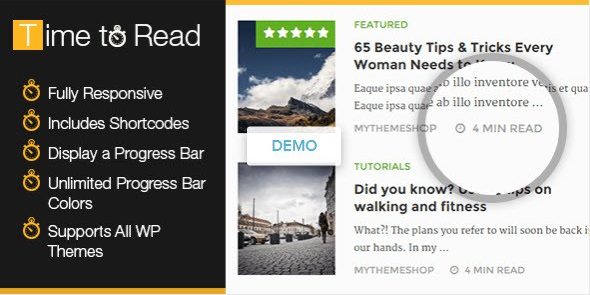
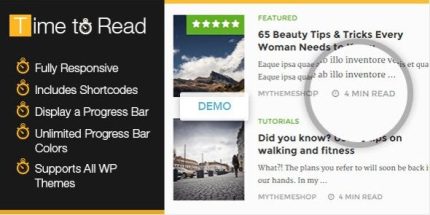
WP Time To Read helps readers gauge how long a post will take, displaying an estimated reading time and a progress bar for a smoother reading experience. This WordPress plugin boosts engagement by aligning content length with customizable words-per-minute ranges for instant readability. Perfect for blogs prioritizing UX, readability, and increased time on page; explore WP Time To Read today.
Description
WP Time To Read is a WordPress plugin that helps readers understand what to expect before they start an article. It estimates how long a post will take to read and displays that information directly in the content experience. By using customizable words-per-minute (WPM) ranges, the plugin can better reflect how your audience actually reads. It also adds a reading progress bar so visitors can track their momentum while scrolling. The result is a clearer, more predictable reading flow that supports UX-focused publishing and can help improve time on page.
Main Features
- Estimated reading time — Shows an instant time-to-read value for each post.
- Customizable WPM ranges — Uses min and max words-per-minute settings to calculate estimates.
- Progress bar display — Visual indicator of how far readers have progressed through the article.
- Reader-friendly guidance — Helps visitors decide whether the content fits their available time.
- Consistent on-page experience — Places readability cues alongside the main content for easier scanning.
- Better content alignment — Encourages matching article length with your chosen reading-speed expectations.
Benefits
- Improved UX — Readers get immediate clarity about what they’re about to read.
- More engagement — A progress bar and estimate can encourage visitors to continue through the post.
- Higher time on page potential — Better pacing signals help reduce drop-offs mid-article.
- Aligned readability — Min/max WPM settings make estimates more realistic for your audience.
- Smoother browsing behavior — Transparent reading expectations support easier decision-making.
Who is it suitable for?
- Blog owners who prioritize readability and visitor experience.
- Content teams publishing frequently and wanting consistent UX elements.
- WordPress site admins refining on-page engagement signals.
- Agencies managing multiple WordPress websites and content formats.
- Educational and knowledge-base sites where reading time matters.
- Marketing publishers optimizing articles for sustained on-page attention.