WP Stagecoach 1.4.29 – WordPress Staging Sites Made Easy
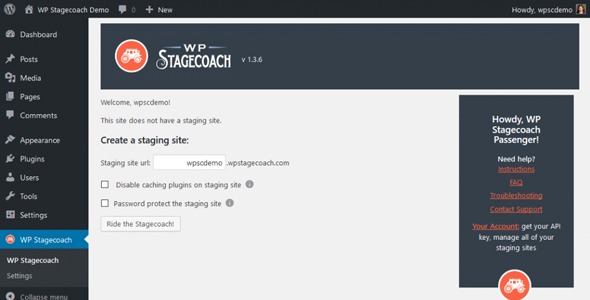
WP Stagecoach lets you quickly create a staging copy of your WordPress site and merge updates to live safely, boosting development efficiency and site reliability. This WordPress plugin offers seamless testing for plugins, themes, and configurations while preventing downtime and data loss.
Description
WP Stagecoach is a WordPress plugin designed to help you create a staging copy of your site so you can test changes before they go live. Instead of developing directly on the production environment, it gives you a dedicated place to work on new updates, configurations, and experiments. After you validate everything, you can merge your changes back to the live site using a controlled workflow.
This solves the common problem of risking downtime or data issues when updating plugins and themes. With WP Stagecoach, you can verify that your WordPress setup behaves correctly in a safe environment, supporting reliable releases and smoother development cycles using tools like WordPress themes and Elementor-based layouts.
Main Features
- Staging copy creation — Generates a duplicate of your WordPress site for safe testing.
- Safe testing environment — Lets you experiment without impacting visitors on the live site.
- Merge changes to live — Transfers tested updates back to your production site after verification.
- Plugin compatibility testing — Helps you validate updates across your installed plugins and configurations.
- Theme update validation — Provides a way to check theme changes before they affect the public website.
- Configuration checks — Allows you to review site settings and custom setups in staging.
- Downtime risk reduction — Decreases the chance of production disruptions during updates.
- Data loss prevention support — Keeps development work separated from the live environment to reduce data risk.
Benefits
- More reliable releases — Validate WordPress, plugin, and theme updates in staging before they reach users.
- Better development efficiency — Reduce rework by testing changes where failures won’t interrupt the live site.
- Improved UX stability — Lower the likelihood of downtime during deployments and updates.
- Safer testing workflow — Separate experimentation from production, supporting fewer risky changes.
- Consistency across environments — Keep staging aligned with your live site so results reflect real behavior.
Who is it suitable for?
- WooCommerce store owners managing frequent plugin updates.
- WordPress site administrators who need safer staging and merge workflows.
- Agencies deploying Elementor layouts, themes, and custom configurations.
- Theme and plugin developers testing compatibility with different setups.
- Content teams maintaining blogs and multi-author WordPress sites.
- Online businesses that prioritize uptime and site reliability.