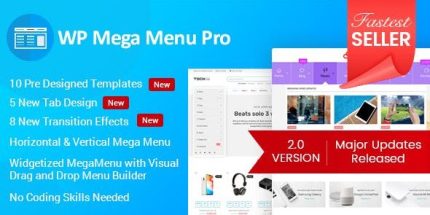
WP Mega Menu Pro 2.1.7 – Responsive Mega Menu Plugin for WordPress

WP Mega Menu Pro is a WordPress plugin that lets you build a visual mega menu with intuitive rows and columns, with automatic saves. Easily craft complex, responsive menus to improve navigation and user engagement, with a fast, drag-and-drop experience. Perfect for designers seeking seamless integration and effortless updates.
Description
WP Mega Menu Pro is a WordPress plugin for building visual mega menus that are easier to design, update, and maintain than traditional menu editors. It helps you arrange menu items into clear rows and columns using an intuitive interface, so complex navigation stays organized and readable. The builder focuses on responsive output, making it practical for mobile and desktop visitors. With automatic saves and a fast drag-and-drop workflow, you can iterate on your site’s navigation without losing changes.
Designed for designers and content teams, WP Mega Menu Pro supports cleaner structure and smoother browsing, improving how users discover pages across your WordPress website.
Main Features
- Visual mega menu builder — Design menus directly in a visual layout rather than manually editing menu structures.
- Row and column layout — Place items into rows and columns to keep large menus structured.
- Drag-and-drop editing — Reorder and arrange elements quickly with a direct manipulation workflow.
- Automatic saves — Changes are saved automatically to reduce the risk of losing updates.
- Responsive navigation — Create menus that adapt across devices for consistent usability.
- Complex menu organization — Build multi-item, multi-section navigation without overwhelming the layout.
- Intuitive placement controls — Use straightforward positioning to build the menu you envision.
- Fast iteration — Update navigation quickly while you test structure and hierarchy.
Benefits
- Better user navigation — Clear row/column structure helps visitors find content faster.
- Higher engagement — Well-organized mega menus encourage deeper browsing across key pages.
- Fewer editing mistakes — Automatic saves reduce accidental loss during menu updates.
- Improved UX on mobile — Responsive layout keeps menus usable on smaller screens.
- More efficient updates — Drag-and-drop building supports quicker redesigns as your site grows.
Who is it suitable for?
- WordPress site owners with complex top-level navigation
- Designers creating structured menu layouts for clients
- WooCommerce stores that need clear category and product navigation
- Agencies managing multiple WordPress websites and frequent updates
- Content-heavy blogs and editorial sites with many pages and sections