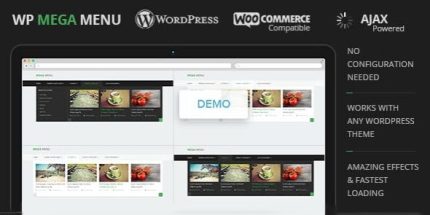
WP Mega Menu 1.1.11 – MyThemeShop

WP Mega Menu is a WordPress plugin that lets you craft beautiful, customized menus with zero setup. It showcases categories, subcategories, and posts, boosting SEO and user engagement while offering a rich set of options. A top choice for easy design, seamless integration, and better navigation.
Description
WP Mega Menu is a WordPress plugin for building beautiful, customized mega menus without a complex setup process. It helps you present your site structure clearly by featuring categories, subcategories, and individual posts in a single navigation area.
Instead of forcing visitors to click through long menus, it organizes content where users already look. With flexible options for shaping how menu items are shown, it supports better browsing and stronger content discovery.
For SEO-focused sites, more intuitive internal navigation can improve crawl paths and user engagement signals by making content easier to reach from the header.
Main Features
- No setup required — Use the plugin quickly to start creating mega menus on your WordPress site.
- Category display — Show WordPress categories directly inside your menu for clear site hierarchy.
- Subcategory support — Include nested subcategories to help users find relevant sections faster.
- Post listings in menus — Feature specific posts alongside taxonomy links for targeted navigation.
- Customizable menu layouts — Build structured mega menu designs that match your site’s content.
- Rich configuration options — Choose from a range of settings to control what appears in the menu.
- Better content discoverability — Surface important pages and topics directly from the navigation area.
- SEO and engagement focused — Improve internal linking paths that support user interaction and discoverability.
Benefits
- Smoother navigation — Users reach the right content in fewer clicks with structured category and post links.
- Higher engagement — Better menu organization encourages browsing and increases time spent exploring.
- Stronger internal linking — Consistent paths from the header help distribute attention across key pages.
- Improved usability — Clear hierarchy reduces confusion when your site has many topics or posts.
- More relevant discovery — Showing subcategories and posts improves matching between intent and content.
Who is it suitable for?
- Blogs and content sites with many categories and articles
- E-commerce and WooCommerce stores that want clearer department navigation
- Marketing websites that need structured landing-page links
- Professional WordPress sites with large archives or topic clusters
- Agencies managing multiple WordPress client menus
- Publishers building clearer site architecture for readers