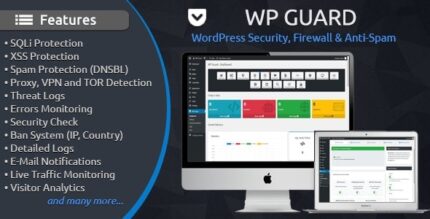
WP Guard 2.5 – Security plugin for WordPress

WP Guard is a WordPress security plugin that shields your site from hackers and threats with real-time monitoring and powerful firewall rules. Its main benefit is peace of mind—minimizing downtime and protecting data for your visitors. Plus, quick setup and seamless integration make it a smart, lightweight layer of protection.
Description
WP Guard is a WordPress security plugin designed to help protect your website from hackers, attacks, and other online threats. It acts as a lightweight security layer by continuously monitoring activity in real time and applying powerful firewall rules to reduce risky traffic.
For site owners who want steadier uptime and less worry about data exposure, WP Guard helps minimize downtime while working seamlessly within your existing WordPress setup. Setup is quick, so you can improve protection without disrupting how your site runs.
Main Features
- Real-time monitoring — Tracks suspicious behavior as it happens to support quicker response to threats.
- Powerful firewall rules — Filters and blocks malicious requests using configurable protection logic.
- Hack and threat shielding — Helps protect core site areas from common intrusion attempts.
- Security-first request filtering — Targets harmful traffic patterns to lower the chances of successful attacks.
- Lightweight protection layer — Adds security coverage without turning your site into a heavy, slow stack.
- Quick setup — Designed to be enabled fast so you can start protecting your WordPress site sooner.
- Seamless WordPress integration — Works as a plugin inside your WordPress environment without requiring a full redesign.
- Reduced downtime risk — Aims to prevent security incidents that can interrupt site availability.
Benefits
- More peace of mind — Ongoing monitoring and firewall blocking reduce anxiety about unauthorized access.
- Better site availability — Preventing attacks helps keep pages reachable for your visitors and customers.
- Stronger data protection — Reduced malicious access lowers the risk of exposure to sensitive site information.
- More secure user experience — Visitors are less likely to encounter disruptions caused by security incidents.
- Lower operational hassle — Quick setup makes it easier to keep baseline protection in place.
Who is it suitable for?
- Small business WordPress sites that need dependable baseline security
- WooCommerce stores seeking protection for customer-facing pages
- Bloggers and content sites worried about downtime from attacks
- Freelancers and agencies managing multiple WordPress client sites
- Websites built with themes and page builders that want a simple security add-on