WP Grid Builder 2.3.6 + Add-ons
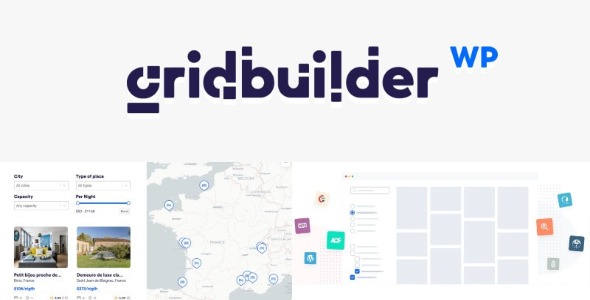
WP Grid Builder helps you craft advanced grid layouts with real-time faceted search for your eCommerce, blog, or portfolio. It enables you to query and display WordPress content from posts, terms, or users with a sleek admin interface, delivering a faster, more engaging experience.
Description
WP Grid Builder is a WordPress plugin designed to create advanced grid layouts for your content while adding real-time faceted search. Instead of manually organizing posts or products, you can query WordPress items and display them in a clean, responsive grid. It’s especially useful for WooCommerce catalogs, content hubs, and portfolio sections where visitors need fast ways to narrow results. With an intuitive admin interface, you can build and refine grids that pull data from posts, taxonomy terms, and even users.
Main Features
- Advanced grid layout builder — Create structured grids to present WordPress content in an organized visual layout.
- Real-time faceted search — Update results instantly as users apply filters.
- Content querying from post types — Pull and display content from your selected WordPress post types.
- Taxonomy term filtering and display — Query and present items based on categories, tags, and other terms.
- Support for user-based content — Build grids that work with users to surface related profiles and listings.
- Stylish, user-friendly admin UI — Configure grids through a straightforward dashboard workflow.
- Reusable grid configurations — Create templates for recurring layouts across pages like shop, blog, or portfolio views.
- Better content navigation — Help visitors find relevant items without long scrolling or page refreshes.
Benefits
- Higher engagement — Interactive filters keep visitors exploring while results stay up to date.
- Improved UX — Clear grid presentation makes browsing more comfortable on any device.
- Faster discovery — Real-time faceted search reduces time spent locating specific posts or products.
- More relevant browsing — Querying by post types and taxonomy terms surfaces the right content for each intent.
- Scalable content organization — Works well as your library grows, maintaining manageable navigation patterns.
Who is it suitable for?
- WooCommerce stores with product, category, and tag browsing needs
- Blogs and knowledge bases that require filterable archives
- Portfolio sites showcasing projects by taxonomy and related metadata
- Agencies building multiple content views for different clients
- Membership or directory-style sites that list users or member profiles
- Website owners managing large WordPress catalogs and content hubs