WP Glossary 2.9 – Encyclopedia, Lexicon, Knowledge Base
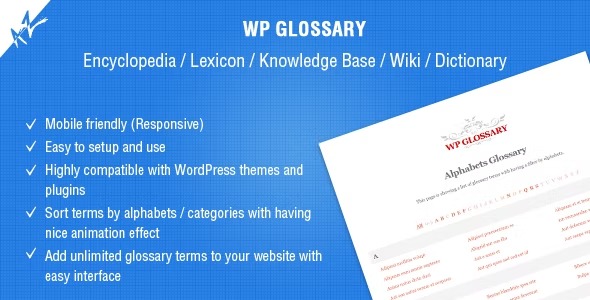
WP Glossary is a WordPress plugin that lets you build a custom glossary with a full editor and flexible post-type options. It helps visitors find terms quickly, improving SEO and on-site navigation with a searchable glossary. Plus, you can reuse existing post types for seamless integration and fast setup.
Description
WP Glossary is a WordPress plugin for building a custom glossary of terms for encyclopedia, lexicon, knowledge base, wiki, or dictionary-style websites. Instead of relying on scattered pages, it gives you a dedicated glossary structure powered by a custom post type and a full editor. Visitors can quickly locate definitions and references through a searchable glossary, improving on-site navigation and clarity. For existing content workflows, the plugin also lets you reuse an already registered post type, keeping your setup consistent and reducing duplication.
Main Features
- Custom glossary post type — Creates a dedicated content type to manage glossary entries in WordPress.
- Full glossary editor — Use the editor to write and organize terms with complete control.
- Searchable glossary output — Helps users find definitions quickly from your glossary interface.
- Flexible post-type options — Configure how glossary data is sourced for your site.
- Reuse existing post types — Select an existing post type instead of relying only on the plugin’s default one.
- Encyclopedia-style organization — Suitable for lexicon, knowledge base, wiki, and dictionary content models.
- Seamless WordPress integration — Works within your existing WordPress content architecture and admin workflow.
Benefits
- Faster term discovery — Searchable glossary UX reduces time spent looking for definitions.
- Better site navigation — A centralized glossary makes key information easier to reach.
- Cleaner content structure — A dedicated glossary organization improves how information is maintained.
- SEO-friendly internal linking — Clearly defined terms support stronger on-page topical relevance and discoverability.
- Workflow consistency — Using an existing post type helps teams reuse established content patterns.
Who is it suitable for?
- Encyclopedia, lexicon, or wiki style WordPress sites
- Knowledge base and documentation websites
- Websites that already use custom post types
- Content teams managing definitions across many topics
- Agencies building glossary-driven client projects