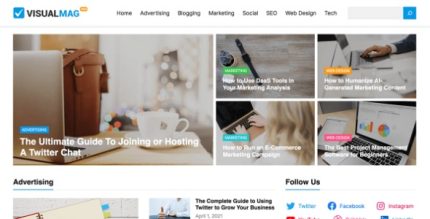
WP Enjoy VisualMag Pro 1.0.8
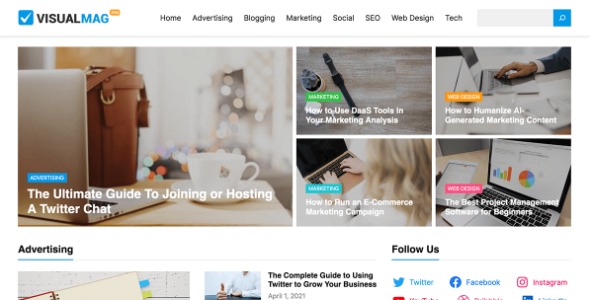
WP Enjoy VisualMag Pro lets you build beautiful news and magazine sites with the WordPress Site Editor using drag-and-drop blocks. Enjoy fast, code-free design and rapid layouts thanks to 17+ pre-designed patterns for flexible customization. A polished WordPress theme with seamless integration and ease of use—start exploring today.
Description
WP Enjoy VisualMag Pro is a WordPress theme designed for building news and magazine websites using the WordPress Site Editor. It helps you create polished layouts through drag-and-drop, block-based editing—so you can work without writing code. With 17+ pre-designed block patterns, you can quickly assemble pages and experiment with different design combinations. The result is a fast, code-free way to produce consistent, magazine-style content that’s easy to adjust as your site grows. Ideal for editors and creators who want flexibility while staying within a cohesive visual framework.
Main Features
- Built for WordPress Site Editor — Uses the Site Editor workflow to manage pages and layouts with blocks.
- Drag-and-drop block editing — Arrange content with visual block controls for quick, code-free changes.
- 17+ pre-designed block patterns — Jump-start designs with ready-to-use patterns for magazine and news layouts.
- Pattern combinations — Create custom page designs by mixing and reusing different block patterns.
- Flexible customization — Adjust layout components while keeping a consistent theme look.
- Magazine-ready structure — Focused on organizing articles and sections typical of editorial websites.
- Seamless WordPress integration — Works naturally with WordPress block content so updates fit your editor habits.
- Rapid layout creation — Build new pages faster by starting from patterns instead of starting from scratch.
Benefits
- Quicker publishing — Pattern-based building reduces setup time for new articles, pages, and sections.
- Better UX for readers — Clear editorial layouts make content easier to scan and navigate.
- Consistent visual branding — Theme-supported components help maintain uniform styling across the site.
- More control without coding — Block editing lets non-developers adjust designs confidently.
- Support for SEO foundations — Structured, block-based pages can help maintain clean, scannable content layout.
Who is it suitable for?
- WordPress news and magazine publishers
- Bloggers who want an editorial, content-first design
- Editorial teams creating frequent page updates
- Creative agencies building client magazine-style sites
- Freelancers producing WordPress content layouts quickly
- Media startups launching structured, multi-section websites