WP Contact Us Form 2.3.1 – WordPress Contact Form Plugin
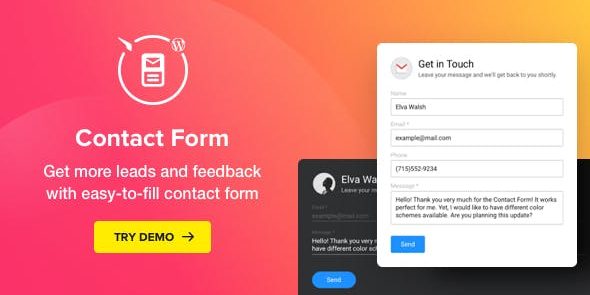
WP Contact Us Form is a responsive WordPress form plugin that helps you display a clear, customizable contact form so visitors can easily message you. Its main benefit is higher user engagement with a tailored layout and essential fields. A lightweight, easy-to-use design and seamless integration make it perfect for any site—explore today.
Description
WP Contact Us Form is a responsive WordPress form plugin designed to help visitors reach you quickly and clearly. It lets you display a contact form that encourages messaging with an easy, readable layout. Instead of forcing a one-size-fits-all form, it supports customization of the fields and the visual style so it matches your site.
With a lightweight setup and straightforward configuration, the plugin integrates seamlessly into your WordPress setup. It’s useful for improving engagement by tailoring where users land, what they enter, and how the form looks across devices.
Main Features
- Responsive contact form — Adapts to different screen sizes for a consistent experience on mobile, tablet, and desktop.
- Customizable fields — Choose the fields you need so the form collects only the essential information.
- Layout selection — Use different layout options to present the form in a clear, visitor-friendly structure.
- Visual style customization — Adjust the look to better align with your WordPress site design.
- Clear and encouraging form layout — Organizes inputs in a way that makes it easier for users to complete the form.
- Lightweight plugin design — Keeps the form easy to add without overcomplicating your site workflow.
- Seamless WordPress integration — Works directly within a WordPress website so you can deploy contact functionality efficiently.
Benefits
- Higher engagement — A tailored layout and appropriate fields make it easier for visitors to send messages.
- Better UX on all devices — Responsive design helps reduce friction for mobile and desktop users.
- More relevant submissions — Choosing essential fields improves the quality and usefulness of incoming inquiries.
- Consistent brand experience — Visual customization helps the form match your site theme and styling.
- Faster form setup — Lightweight configuration makes it simpler to launch a contact form when you need one.
Who is it suitable for?
- Business websites that need a clear contact entry point
- Portfolio or personal sites for accepting inquiries and feedback
- Marketing pages and landing pages on WordPress
- Small teams maintaining a simple site workflow
- Websites that want a responsive, customizable form experience
- Content and community projects that collect visitor messages