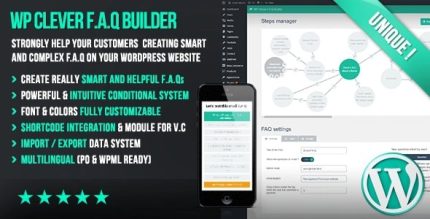
WP Clever FAQ Builder 1.43 – Smart support tool for WordPress

WP Clever FAQ Builder turns complex, multi-level FAQs into a scalable self-service hub in WordPress. The main benefit is dramatically reducing support time by guiding customers to precise answers. Its seamless integration and easy setup as a plugin make it a smart, low-effort choice—explore how it upgrades your FAQs.
Description
WP Clever FAQ Builder is a WordPress plugin designed to transform traditional FAQs into a scalable self-service knowledge hub. Instead of a flat list of questions and answers, it helps you create complex, multi-level FAQ structures that guide visitors to the exact information they need.
By turning complicated support topics into a clear, branching FAQ flow, the plugin reduces the back-and-forth that can slow your team down. It’s built for use inside WordPress, so you can keep your FAQ content organized where you manage posts, pages, and site updates.
Main Features
- Multi-level FAQ hierarchy — Create FAQs with multiple question levels instead of a single Q&A list.
- Deep question trees — Build an extensive structure with nested answers for complex topics.
- Guided navigation — Help users drill down to precise answers based on what they select.
- Scalable self-service hub — Organize growing FAQ content so it remains manageable over time.
- Clear customer support paths — Structure information in a way that reduces confusion and misdirected questions.
- Fast content creation — Create and manage complex FAQs with an easy plugin workflow.
- WordPress-first setup — Integrate the FAQ builder within your WordPress site’s existing content environment.
- Better FAQ clarity — Replace generic answers with logically grouped, level-based responses.
Benefits
- Less support time — Users reach the right answers faster, reducing repetitive tickets.
- Higher self-service success — Multi-level guidance improves the odds that visitors find what they need.
- Improved UX — A structured FAQ flow feels clearer than a long, flat list.
- More scalable knowledge base — As topics expand, nested levels keep content organized.
- Consistent answers — Centralizing questions and responses helps maintain accuracy across common issues.
Who is it suitable for?
- WooCommerce stores with frequent customer questions
- SaaS products that need structured onboarding and troubleshooting FAQs
- Content-heavy websites that publish complex help topics
- Agencies managing multiple WordPress projects and knowledge bases
- Online schools and course platforms with repeated learner questions
- Support teams looking to reduce ticket volume through self-service