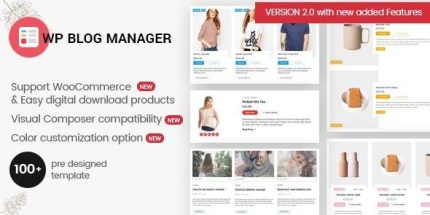
WP Blog Manager 2.0.5 – Plugin to Manage – Design WordPress Blog

WP Blog Manager helps you design your WordPress blog and archive pages with 100+ responsive, creative layouts. Save hours (even days) and avoid hiring a designer by building a polished site in minutes, boosting engagement and performance. Perfect for WordPress users seeking easy integration, flexible design, and a quick, friendly workflow—explore its potential today.
Description
WP Blog Manager is a WordPress plugin designed to help you build blog and archive pages with professional, responsive design. Instead of starting from scratch, you can pick from 100+ creative layouts tailored for common WordPress blog structures.
It addresses the time-consuming parts of designing templates and styling post listings by letting you create a polished look in minutes. That makes it useful when you want cleaner UX, stronger engagement, and better-performing pages without relying on a dedicated web designer.
Whether you manage a simple blog or multiple content sections, WP Blog Manager streamlines your workflow while keeping your theme and page layout consistent across archive and blog detail views.
Main Features
- 100+ responsive layouts — Choose from a large library of blog and archive designs that adapt to different screen sizes.
- Archive page designs — Create attractive layouts for category, tag, author, and other archive-style listings.
- Blog detail page layouts — Apply styled structures to individual post pages for a consistent reading experience.
- Quick setup for new pages — Build polished templates faster by starting with ready-to-use layout options.
- Creative layout variety — Explore multiple visual styles so your blog can match your brand and content type.
- WordPress-first workflow — Designed specifically for WordPress blog and archive page needs.
- Cleaner presentation for posts — Improve how content is displayed to support easier scanning and reading.
- Consistent template styling — Keep archive listings and blog details aligned within your overall site look.
Benefits
- Saves design time — Reduces the hours spent crafting templates by using ready layouts for key page types.
- Polished UX — Delivers a more organized, visually coherent blog experience that helps visitors find and read content.
- Higher engagement — Helps your archive pages and post pages look intentional, encouraging more clicks and time on site.
- Better performance on mobile — Responsive layout options support a smoother experience across devices.
- Easier content publishing — Streamlines repeat page styling so new sections and posts stay consistent with less effort.
- Less dependency on designers — Makes it easier for WordPress users to achieve a professional result without custom redesign cycles.
Who is it suitable for?
- WordPress bloggers who want faster, better-looking archives and post pages
- Content publishers for magazines, news, or editorial sites
- Agencies building WordPress sites with reusable blog template designs
- Freelancers who manage multiple client blogs and need efficient page styling
- Theme and template kit creators updating blog presentation for theme demos
- Small businesses that rely on content marketing and want improved UX for readers