WP Advanced Media 1.0 – Powerful File Management for WordPress
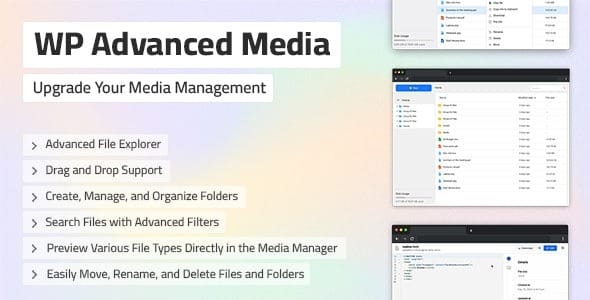
WP Advanced Media unlocks a premium, cloud-like media manager for WordPress—leverage a fast, intuitive interface to organize, search, and reuse images and videos with ease. Save time, boost site performance, and enjoy seamless integrations that feel like Dropbox or Google Drive. Experience smarter media management today with this WordPress plugin.
Description
WP Advanced Media is a WordPress plugin that upgrades the default media manager with a cloud-like, premium workflow for handling images and videos. It helps you organize assets, find what you need quickly, and reuse media across your site without constantly digging through the built-in library.
Instead of wrestling with the limitations of the standard WordPress media interface, this plugin provides a fast, intuitive way to manage your media collection. The experience is designed to feel familiar—like using Dropbox or Google Drive—so everyday content work moves faster and stays more consistent.
Main Features
- Cloud-like media manager — Provides a more modern interface for working with WordPress media.
- Organize images and videos — Keeps your media collection structured so assets don’t get lost.
- Fast, intuitive browsing — Makes it easier to move through large libraries with less friction.
- Improved search — Helps you locate media more efficiently than the default WordPress experience.
- Reusable media — Speeds up content creation by reusing existing images and videos.
- Better daily workflow — Reduces time spent managing assets during post and page creation.
- Seamless WordPress integration — Fits into WordPress so your media management stays within your site.
Benefits
- Save time — Spend less effort searching and organizing media while creating content.
- Higher productivity — Reuse images and videos faster, keeping publishing cycles smoother.
- Better organization — Maintain a clearer media structure as your library grows.
- Improved UX — Use an interface that feels easier to navigate than the default media manager.
- Performance support — More efficient media retrieval can reduce delays during editing and media selection.
Who is it suitable for?
- WordPress site owners managing large image and video libraries.
- WooCommerce store operators who publish product images and marketing videos frequently.
- Content creators working across many posts, pages, and campaigns.
- Agencies supporting multiple WordPress clients and assets.
- Teams using Elementor or other editors who need faster media selection.