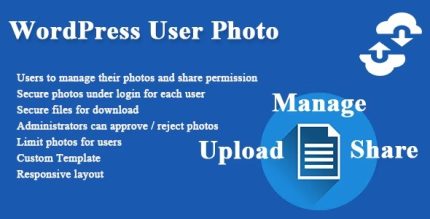
WordPress User Photo 1.0.0

WordPress User Photo is a plugin that lets you manage member photos with easy uploads and sharing to external sites. It streamlines user-generated images, boosting engagement and social proof for your site. Plus, seamless integration and simple controls make it a breeze for admins and users alike.
Description
WordPress User Photo is a WordPress plugin that helps you manage member photos in a simple, user-friendly way. It solves the common problem of handling user-generated images across your site by providing straightforward upload and sharing workflows.
The plugin supports your members with easy photo uploads and options to share those photos to external websites. For site admins, it streamlines day-to-day photo management with clear, simple controls that fit into everyday WordPress usage.
Main Features
- Member photo management — Centralized way to handle photos submitted by your users.
- Easy upload workflow — Lets members add their photos without complex steps.
- External photo sharing — Enables members to share their photos to other websites.
- User-oriented experience — Keeps controls understandable for both members and site visitors.
- Admin oversight — Helps administrators keep member photos organized and accessible.
- Streamlined user-generated images — Reduces manual copying, linking, and file handling.
- Integration with WordPress — Built to work within typical WordPress site setups.
- Simple, practical controls — Designed for day-to-day photo management with minimal friction.
Benefits
- More social proof — Member photos help reinforce credibility and engagement.
- Improved UX — Clear upload and sharing steps make participation easier.
- Less admin workload — Centralized management reduces repetitive photo handling tasks.
- Higher community participation — Easier contribution encourages more active user involvement.
- Better content consistency — Photos stay organized through a guided workflow.
- Broader visibility — Sharing to external sites can extend reach beyond your WordPress pages.
Who is it suitable for?
- Community websites and member directories
- WooCommerce communities with customer/user profiles
- Online course and membership platforms
- Forums, groups, and social-style WordPress sites
- Agencies building multi-user WordPress projects
- Sites running user-generated image experiences