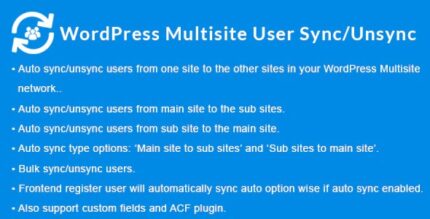
WordPress Multisite User Sync/Unsync 2.1.8

WordPress Multisite User Sync/Unsync lets you seamlessly sync or unsync users across sites in your WordPress Multisite Network. This plugin ensures consistent user access across multi-domain, sub-domain, or sub-directory setups, improving security and management. Type: WordPress
Description
WordPress Multisite User Sync/Unsync is a WordPress plugin designed for Multisite Network administrators who need consistent user access across multiple blogs. Instead of managing accounts separately on each site, it syncs users from one blog to other blogs within the network.
It’s especially useful for complex Multisite setups that span multi-domains, sub-domains, or sub-directories. When access should be granted or removed across the network, syncing and unsyncing helps keep permissions aligned with the user’s current status.
By supporting common Multisite network structures, the plugin helps simplify onboarding and offboarding workflows while improving overall account management across your WordPress Multisite environment.
Main Features
- User syncing across the Multisite network — Sync users from one site (blog) to other sites (blogs) in the same network.
- User unsyncing to revoke access — Unsync users to remove their presence from other blogs when access should be withdrawn.
- Multi-domain compatibility — Works with Multisite networks using separate domains (e.g., example.site1, example.site2).
- Sub-domain compatibility — Supports networks where sites run on sub-domains (e.g., site1.example.com, site2.example.com).
- Sub-directory compatibility — Supports networks where sites run under sub-directories (e.g., example.com/site1, example.com/site2).
- Centralized user management workflow — Helps reduce duplicated effort by aligning user state across multiple blogs from a single starting point.
- Consistent access across sites — Maintains a uniform approach to which users exist across your connected sites.
Benefits
- Fewer access mismatches — Keeps user presence consistent across blogs, reducing the chance of outdated accounts.
- Simpler onboarding — Sync users when they should gain access across the network, without repeating account setup per site.
- Clear offboarding — Unsync users to help remove access across sites in a coordinated way.
- Improved administration — Centralizes network-wide user handling for easier management of multi-site environments.
- Better UX for members — Users experience predictable access across your network sites based on their current status.
Who is it suitable for?
- WooCommerce store networks running on WordPress Multisite
- Multi-domain, sub-domain, or sub-directory Multisite administrators
- Agencies managing multiple client sites under one network
- Membership or community platforms with several connected blogs
- Online platforms that frequently onboard and offboard users
- Enterprises standardizing user access across many internal sites