WordPress Hide Admin Menu Plugin 3.1.0
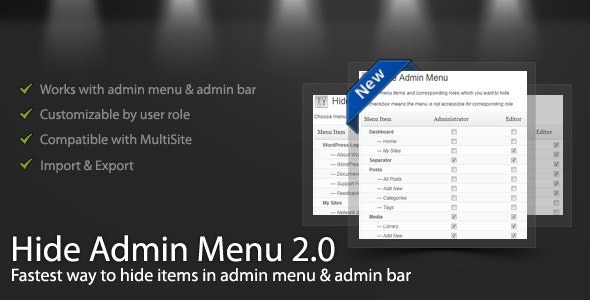
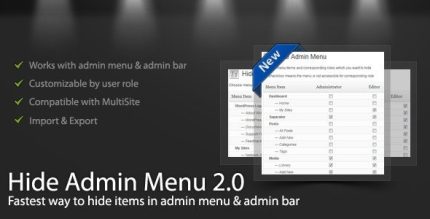
This WordPress Hide Admin Menu Plugin simplifies the admin area by hiding menu and admin bar items based on user role. It provides a cleaner, client-friendly interface and protects sensitive pages like settings for non-admin users. Easy to use, compatible with Multisite and custom roles, ensuring secure, streamlined administration. Type: WordPress.
Description
The WordPress Hide Admin Menu Plugin helps you simplify the WordPress dashboard by hiding specific admin menu and admin bar items based on user role.
Instead of exposing settings, account areas, or other sensitive pages to non-admin users, you can tailor what each role can see and access in the admin UI.
It’s designed for clear configuration, supports custom roles, and works with WordPress Multisite, making it useful for both single-site and managed environments.
Main Features
- Role-based menu control — Hide admin menu items per selected user role.
- Admin bar item hiding — Remove role-inappropriate items from the admin bar to reduce clutter.
- Checkbox-style configuration — Select menu/admin bar elements to hide and save settings quickly.
- Compatibility with custom roles — Apply rules to roles created by your site or other plugins.
- Multisite compatibility — Use the plugin effectively across WordPress Multisite setups.
- Support for plugin-added menus — Hide items added by other plugins when they appear in the admin menu.
- Cleaner client-facing admin — Provide a simplified dashboard experience for delegated users.
Benefits
- Reduced accidental access — Prevent non-admin users from reaching sensitive settings and account pages.
- Better admin UX — Create a less cluttered menu and admin bar, improving navigation clarity.
- Improved security posture — Limit exposure to admin areas that shouldn’t be visible for certain roles.
- Higher workflow efficiency — Help users focus on the tasks they need, without irrelevant sections.
- Smarter site management — Keep controls organized across custom roles and Multisite environments.
Who is it suitable for?
- WordPress site owners managing multiple user roles.
- Agencies setting up client dashboards with limited access.
- WordPress Multisite administrators overseeing many sites.
- Teams using custom roles for departments or delegated workflows.
- Webmasters who need to hide admin items added by other plugins.