WordPress FlipBook 1.16.13
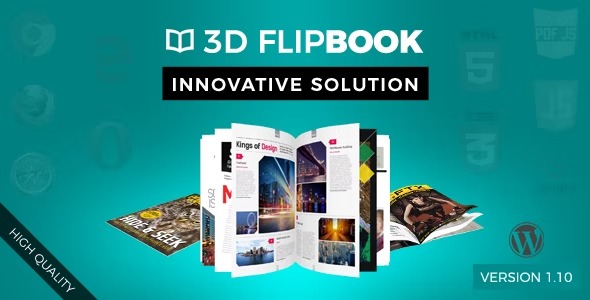
WordPress FlipBook lets you browse images, PDFs, or HTML as a flipping book, turning your content into an interactive, eye-catching showcase. It boosts engagement and impressions with a natural, magazine-like reading experience, ideal for demos, catalogs, and magazines. With seamless integration, responsive design, and easy setup, this Wordpress plugin is the smart choice—explore it today.
Description
WordPress FlipBook is a WordPress plugin that turns images, PDFs, or HTML content into an interactive flipping book. Instead of presenting documents as static pages, it delivers a magazine-like reading experience that feels more natural and engaging for visitors.
It’s a practical way to showcase demos, catalogs, and magazines on your site—helping you attract attention and make a stronger impression with a clear visual format. With responsive design and easy setup inside WordPress, you can publish flipbook-style content without complex workflow changes.
Main Features
- Flipbook browsing experience — Presents content with a page-flipping interaction that mimics a real book.
- Multiple source formats — Supports browsing images, PDFs, or HTML as a flipping book.
- Demo and showcase friendly — Works well for presentation materials like demonstration magazines and similar content.
- Catalog-style layouts — Helps structure product or service information in an easy-to-browse book format.
- Brochure and booklet use cases — Suitable for brochure-style documents, booklets, and card-like displays.
- Content attention focus — Designed to attract user attention through an interactive visual format.
- Responsive design — Keeps the flipping book experience consistent across screen sizes.
- Easy setup in WordPress — Streamlines publishing and deployment of flipbook content on your site.
Benefits
- Higher engagement — The flipping interaction encourages visitors to explore content instead of scrolling past static pages.
- Better UX for documents — Converting PDFs and image sets into a book format makes reading feel more intuitive.
- More memorable impressions — The interactive presentation helps your brochure, catalog, or magazine stand out.
- Flexible content publishing — Using images, PDFs, or HTML lets you reuse existing assets in a consistent format.
- Mobile-friendly viewing — Responsive behavior improves usability on phones and tablets.
Who is it suitable for?
- Businesses creating online catalogs and product brochures
- Publishers and creators sharing digital magazines and booklets
- Agencies preparing interactive demo materials for clients
- Marketing teams showcasing cards, flyers, and documentation-style content
- Websites that want a more engaging way to present PDFs and image collections