WooPrintInvoice 1.2.0 – Order Invoice Printing for WooCommerce
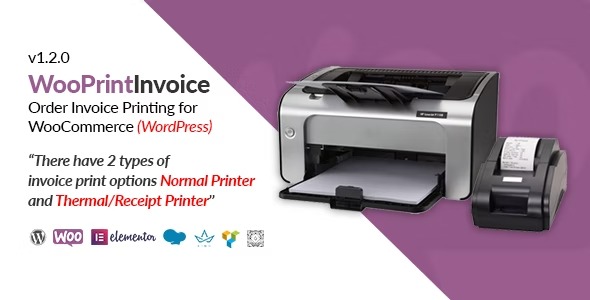
WooPrintInvoice lets you print order invoices from WooCommerce with admin and customer views, supporting normal and thermal/receipt printers. Customize company name, logo, address, and footer for on-brand invoices and faster billing. Simple setup, strong integration, and flexible options—type: WooCommerce add-on.
Description
WooPrintInvoice is a WooCommerce add-on that helps you print order invoices directly from your store. It provides invoice views for both the WordPress admin and the customer, so billing documents match your workflow. With support for Normal printers and Thermal/Receipt printers, it fits common office and POS-style printing needs.
You can customize on-brand invoice details such as your company name, logo, address, and invoice footer text. The plugin uses WooCommerce’s default invoice content, keeping printed documents consistent with what customers see in your WooCommerce setup.
Main Features
- Admin and customer invoice views — Print invoice documents from both the WooCommerce admin side and the customer-facing view.
- Normal printer support — Generate print-ready invoices optimized for standard printers.
- Thermal/receipt printer support — Produce receipts/invoices suitable for thermal printing workflows.
- Company name customization — Display your business name on printed invoices for clear branding.
- Logo on invoices — Add and show your company logo in the invoice header area.
- Address and footer editing — Update invoice address and footer text to match your policies and contact details.
- Uses WooCommerce default content — Print the built-in WooCommerce invoice/order content so totals and line items stay aligned.
- Simple setup with flexible options — Configure printing choices without complex changes to your WooCommerce theme.
Benefits
- Faster billing — Print invoices quickly from the locations where admins and customers manage orders.
- Consistent documents — Keep printed invoices aligned with WooCommerce’s default content and order details.
- Better usability — Match invoice output to real-world hardware by choosing Normal or Thermal/Receipt printing modes.
- Branding clarity — Use your logo, address, and footer to improve invoice recognition and professionalism.
- Lower admin effort — Reduce manual copying of order information into separate documents.
Who is it suitable for?
- WooCommerce store owners that need invoice printing for order fulfillment
- Businesses using thermal printers for receipt-style transactions
- WordPress agencies managing multiple WooCommerce client sites
- Retailers or small eCommerce teams with frequent order dispatch
- Operations teams that require branded invoice headers and footers
- Content and integration-focused stores relying on WooCommerce default order/invoice data