WooCP Schedule 1.0.0 – Reset Countdown Plugin WooCommerce

WooCP Schedule is a WooCommerce countdown timer plugin that boosts sales by showing a discount countdown on shop, category, and product pages. It drives urgency with flexible shortcodes and templates for ongoing or upcoming sales, plus per-area settings. WPML-ready, easy-to-use, with an optional auto-reset—Type: WooCommerce plugin.
Description
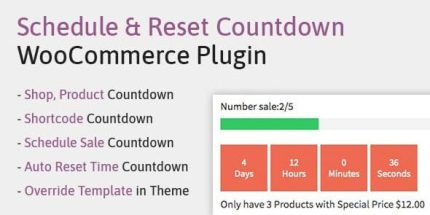
WooCP Schedule is a WooCommerce countdown timer plugin designed to support sale campaigns with clear discount timing. It helps solve the “when does the offer end?” problem by showing a countdown box that tells customers how much time is left to buy. You can also schedule a countdown for upcoming sale periods, not just active discounts. With flexible shortcodes and templates, it fits different layouts created with your WooCommerce theme or template workflow.
Built to be WPML-ready, WooCP Schedule lets you tailor countdown behavior by shop area, including product detail views. An optional auto-reset option supports displays that should continue running across multiple promotions.
Main Features
- Sale countdown for WooCommerce — Displays a countdown box for items on sale to reinforce time-limited offers.
- Schedule upcoming promotions — Counts time until the next sale period begins.
- Shop page display — Shows countdowns on your WooCommerce shop listings.
- Category page display — Enables countdown visibility on selected category pages.
- Product detail (detail) display — Adds countdown information to product pages for stronger context at checkout time.
- Flexible countdown shortcodes — Use the provided shortcode to place countdowns in widgets, descriptions, pages, or posts.
- Per-area settings — Configure countdown behavior individually for Shop, Detail, and Shortcode areas.
- Customizable countdown template — Customize the countdown template in a child theme for better styling control.
- WPML-ready — Supports multilingual stores built with WPML.
- Optional auto reset time — Keeps countdown display consistent when you want it to reset automatically.
Benefits
- Stronger urgency — Countdown timing encourages faster decisions for time-limited discounts.
- Better promo clarity — Customers immediately understand what portion of the campaign is currently available.
- Higher conversion potential — More motivated visitors can lead to improved checkout conversions.
- Improved UX on key pages — Countdown placement across shop, category, and product detail keeps users informed without extra navigation.
- Campaign flexibility — Shortcodes and per-area settings help match different promotions to different page contexts.
- Localization support — WPML compatibility helps maintain a consistent experience for multilingual storefronts.
Who is it suitable for?
- WooCommerce store owners running frequent discount campaigns
- Merchants planning scheduled sales and upcoming promo windows
- Marketers optimizing category and product page conversion flows
- Agencies building WooCommerce sites that need reusable countdown placement
- Multilingual ecommerce teams using WPML
- Content creators placing countdowns via widgets, pages, or posts