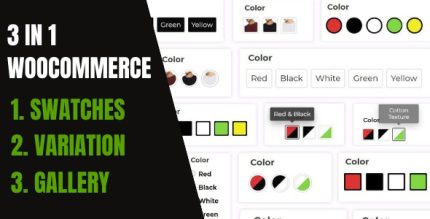
WooCommerce Variation Swatches And Additional Gallery 5.1.0

WooCommerce Variation Swatches And Additional Gallery delivers a 3-in-1 solution to enhance product pages with color, image, and text swatches plus a vertical/horizontal gallery. It boosts conversions by making variants instantly visible and easy to compare, with 56+ customization settings for perfect store design. Type: WooCommerce.
Description
WooCommerce Variation Swatches And Additional Gallery is a WooCommerce plugin for WordPress that improves how shoppers choose product variants. It adds swatches for key attributes—such as color, image, text, dropdowns, and buttons—so options are easier to recognize at a glance. The plugin also includes an additional product gallery with vertical and horizontal layouts. By making variants and media comparable directly on the product page (as well as in search and archive views), it reduces confusion and helps visitors find the right option faster.
Main Features
- Color swatches — Show selectable color options for WooCommerce variations on the front end.
- Image swatches — Display variation thumbnails as swatches instead of plain text.
- Text swatches — Use readable labels for attributes where visual swatches aren’t enough.
- Dropdown and button swatches — Offer alternative UI styles for selecting product variants.
- Attribute-based swatches — Tie swatch display to WooCommerce variation attributes for consistent merchandising.
- Vertical and horizontal gallery — Present an enhanced gallery layout alongside variant selection.
- Swatches on key pages — Apply swatches to product pages, search pages, and archives.
- 56+ customization settings — Adjust swatch and gallery appearance to match your store design.
- Gallery design controls — Customize gallery page styling to keep product media organized.
Benefits
- Higher conversion potential — Clear variant choices help shoppers commit with fewer mistakes.
- Better UX comparison — Swatches and an additional gallery make it easy to evaluate options quickly.
- Reduced browsing friction — Variant information is visible without extra clicks or guesswork.
- Consistent merchandising — Swatches across product, search, and archive pages improve how catalogs are presented.
- Design flexibility — Custom settings support an on-brand layout that can improve perceived quality.
Who is it suitable for?
- WooCommerce stores selling clothing, accessories, or variants like size and color.
- Online catalogs that rely on search and archive browsing for discovery.
- Store owners who want a gallery-style shopping experience for product media.
- Agencies managing multiple WooCommerce sites with varied design requirements.
- Content-driven shops that benefit from clearer variant presentation on listing pages.
- Anyone using WooCommerce themes that need enhanced variant selection UI.