WooCommerce Tabs 1.3.9 – Ultimate Custom Product Tabs
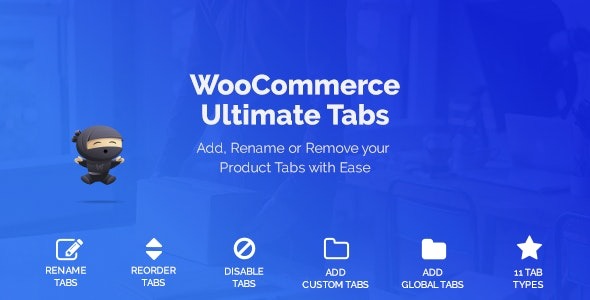
Effortlessly manage your product pages with WooCommerce Tabs, a streamlined solution to create, reorder, rename, or disable custom, category, and global tabs. This plugin puts you in control of tab design and placement, boosting clarity and conversions while seamlessly integrating with WooCommerce. type: WooCommerce
Description
WooCommerce Tabs is a WooCommerce plugin that helps you manage product page tabs without needing to edit templates. It lets you create new custom tabs, as well as category and global tabs, so your content structure matches how customers shop. With this plugin, you can reorder tabs, rename them, or disable specific tabs to keep product pages focused. It also gives you more control over tab design and placement, improving clarity on key sections. For WordPress and WooCommerce stores that rely on consistent product layouts, WooCommerce Tabs streamlines tab management while staying integrated with your shop.
Main Features
- Create custom tabs — Add new tabs tailored to your products and content needs.
- Category tab support — Display tabs based on product categories for structured browsing.
- Global tabs — Apply shared tabs across multiple products without repeating settings.
- Reorder tabs — Change the tab order to match your preferred information flow.
- Rename tabs — Update tab labels to improve readability and relevance.
- Disable tabs — Hide unnecessary tabs to reduce clutter on the product page.
- Tab placement control — Manage where tabs appear within the WooCommerce product template.
- WooCommerce integration — Works directly with your shop’s product pages for a consistent experience.
Benefits
- Clearer product pages — Organized tabs help shoppers find details faster.
- Better UX — Reordered and renamed tabs improve navigation and reduce confusion.
- Higher conversions — More relevant tab content supports purchase decisions.
- Less manual editing — Centralized tab controls reduce reliance on theme or template changes.
- Consistent content — Global and category tabs maintain uniform structure across the catalog.
- Scalable updates — Adjusting tab settings across categories and products is easier as your store grows.
Who is it suitable for?
- WooCommerce store owners managing multiple product types
- Merchants who want category-based information on product pages
- Brands building consistent product documentation (FAQs, specs, usage)
- Agencies maintaining tab layouts across multiple client shops
- Content-heavy eCommerce sites that need structured product sections
- WordPress businesses using Elementor-based page layouts for product templates