
WooCommerce Shipping Tracking 42.3
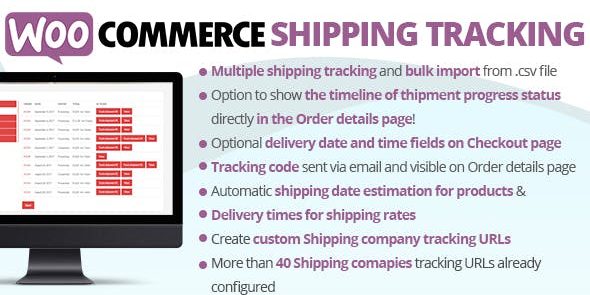
Effortlessly share tracking URLs and codes with each order using WooCommerce Shipping Tracking, a WooCommerce plugin that links shipments to customers. It boosts transparency and reduces support queries by letting buyers monitor their packages in real time. Ideal for streamlined fulfillment, easy integration, and a smooth, trust-building buying experience.
Description
WooCommerce Shipping Tracking is a WooCommerce plugin that helps you associate shipment details with each order. It lets you store one or more tracking URLs and tracking codes per order, connecting shipments directly to the customer. With this setup, buyers can access their tracking information and follow carrier updates without needing manual messages from your team. The result is clearer order fulfillment, fewer “where is my package?” inquiries, and a more transparent checkout-to-delivery experience. Ideal for store owners who want streamlined logistics and trust-building communication within WordPress and WooCommerce workflows.
Main Features
- Order-linked tracking details — Attach tracking URLs and codes to specific WooCommerce orders.
- Multiple tracking entries per order — Add one or more tracking links and codes when shipments split or involve multiple parcels.
- Customer shipment association — Keeps tracking information tied to the correct buyer and order context.
- Fast shareable tracking information — Provides tracking data in a format customers can use to monitor deliveries.
- Works within the WooCommerce order flow — Integrates shipment tracking into the day-to-day management of orders.
- Reduces manual communication — Minimizes the need to paste tracking links and codes by hand.
- Improves delivery transparency — Helps customers verify shipment progress using the carrier’s tracking pages.
Benefits
- Fewer support requests — Customers can check tracking themselves, reducing “package status” messages.
- Better buyer confidence — Clear tracking details improve trust in your fulfillment process.
- More efficient fulfillment — Consistent order-to-tracking setup saves time for fulfillment teams.
- Smoother post-purchase UX — Buyers receive the exact information they need to follow deliveries.
- Lower risk of errors — Minimizes mistakes from manually sharing the wrong tracking codes.
Who is it suitable for?
- WooCommerce store owners who ship physical products
- Fulfillment teams that manage multiple parcels per order
- Online retailers focused on transparent customer communication
- Agencies running WooCommerce client stores
- Small businesses that want to reduce order-status support traffic
- Creators and brands shipping orders regularly
