WooCommerce Name Your Price 2.1.1 – Product Open Pricing
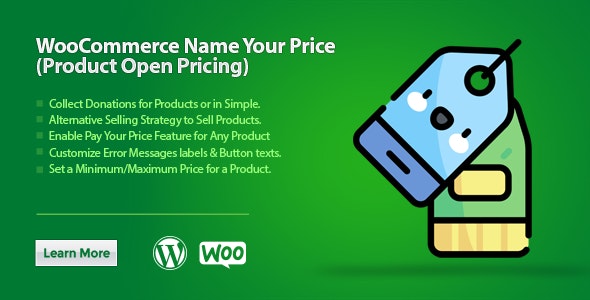
WooCommerce Name Your Price lets customers name their price for products, giving you true market insight and flexible pricing that can boost conversions. It includes suggested prices, a min/max range, and seamless integration with an intuitive setup. Type: WooCommerce.
Description
WooCommerce Name Your Price lets shoppers set their own price for WooCommerce products, helping you gather real “market price” signals while keeping pricing flexible. Instead of a fixed amount, buyers can enter what they feel is fair, or select from a suggested value provided by you. The plugin also supports setting a minimum and maximum range, so offers stay within boundaries you define.
Designed for WooCommerce, it integrates directly into your product flow with an intuitive setup process. If you’re using WordPress with WooCommerce and want a practical way to test pricing approaches, open pricing can improve engagement and encourage more complete checkout decisions.
Main Features
- Open pricing for products — Allow customers to name their price for selected WooCommerce items.
- Suggested price recommendations — Show an ideal or recommended price to guide customers toward common purchase points.
- Minimum price limit — Set a floor value to prevent offers below a chosen threshold.
- Maximum price range — Define an upper limit so offers remain within your pricing strategy.
- Customer choice at checkout — Let shoppers either type their own amount or use a suggested option.
- Market price insight — Capture customer willingness-to-pay through the prices buyers submit.
- WooCommerce integration — Works within the standard WooCommerce product experience for smoother adoption.
- Intuitive configuration — Set rules for pricing freedom, suggested values, and ranges without complex workflows.
Benefits
- More conversions — Reduce friction by giving customers control while still guiding decisions with a suggested price.
- Better pricing decisions — Use submitted offers to understand true market price and refine future pricing.
- Cleaner offers — Enforce min/max limits to maintain financial consistency and avoid extreme bids.
- Improved UX — Offer a clear “name your price” interaction that fits naturally into WooCommerce product purchasing.
- Flexible sales approach — Support different sales strategies for different products without changing your core store setup.
Who is it suitable for?
- WooCommerce store owners testing flexible pricing strategies
- Digital product sellers running promotions or pricing experiments
- Ecommerce marketers who want customer price-feedback signals
- Agencies managing multiple WooCommerce client sites
- Content creators selling niche offers and bundles on WordPress