
WooCommerce Hide Products 6.3.2 – Products, Categories Visibility by User Roles
Description
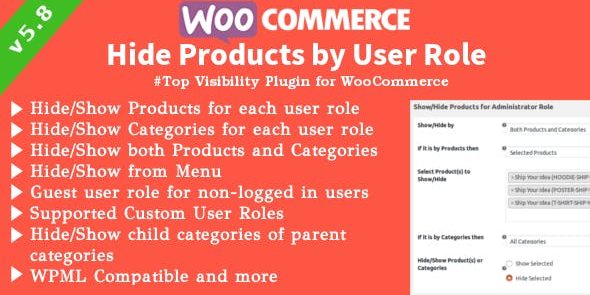
WooCommerce Hide Products is a WordPress plugin designed to selectively show or hide WooCommerce products and product categories based on user role, including guests (non-logged-in visitors). It solves the problem of irrelevant catalog pages by ensuring visitors only see items that match their permissions. This role-based visibility helps improve site relevance and can support higher conversions without complicating your store setup. The plugin is built to avoid impacting site performance and works with common WooCommerce search experiences and multilingual setups.
With support for multiple user roles and compatibility considerations for Ajax Search and WPML, it’s useful when you need different catalogs for different audiences across the entire store—menus, widgets, category views, and more.
Main Features
- Role-based product visibility — Show or hide products and categories according to each WordPress user role, including guest users.
- Support for custom user roles — Applies visibility rules to Custom User Roles created outside the plugin.
- Product, category, or both control — Choose whether rules apply to products only, categories only, or a combination of both.
- Visibility enforcement across store elements — Hides products from WooCommerce category pages, shortcodes, menus, and widgets.
- Multi-role configuration — Manage visibility settings for multiple roles across the site from a centralized configuration.
- WooCommerce theme compatibility — Works with standard WooCommerce-compatible themes, accounting for common storefront layouts.
- Ajax Search compatibility — Designed to work with YITH Ajax Search so hidden items don’t appear unexpectedly in results.
- WPML-friendly behavior — With WPML, select only parent products/categories; translated equivalents are taken into account automatically.
Benefits
- More relevant shopping — Visitors see catalog items tailored to their role, improving browsing and user experience.
- Higher conversions — By reducing irrelevant options, you increase the likelihood that shoppers find what fits their needs.
- Consistent visibility — Rules apply site-wide, keeping category views, menus, widgets, and shortcodes aligned.
- Better search relevance — Compatibility with Ajax Search helps ensure search results respect role-based visibility.
- Simplified multilingual setup — WPML handling reduces manual selection of translated products and categories.
- Performance-focused approach — Revamped code structure is designed to maintain fast performance while implementing visibility rules.
Who is it suitable for?
- WooCommerce stores with member-only or role-specific catalogs
- Websites using WPML for multilingual product visibility
- Ecommerce brands offering different products to guests vs logged-in users
- Agencies managing multiple WooCommerce clients or role-based storefronts
- Community sites and memberships that want controlled product access
- Online shops that rely on Ajax-based search and need consistent filtering
