WooCommerce Google Spreadsheet Addon (Import / Export) 7.5

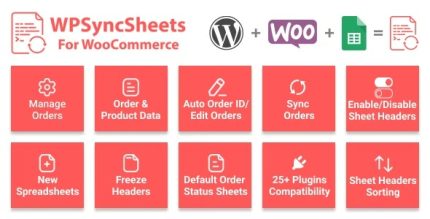
Sync data effortlessly with WooCommerce Google Spreadsheet Addon (Import / Export), a WordPress plugin that connects orders, products, customers, coupons, and events to a single Google Sheet. Benefit: seamless data access and real-time reporting with easy import/export, saving time and improving decision-making. Extras: intuitive setup, reliable automation, and flexible mapping—explore how it streamlines your WooCommerce workflows.
Description
WooCommerce Google Spreadsheet Addon (Import / Export) is a WordPress plugin designed to sync your WooCommerce data with a single Google Spreadsheet. It connects key entities—orders, products, customers, coupons, and events—so your team can work from one familiar sheet.
Instead of manually exporting files or rebuilding reports, the plugin automates importing and exporting between WooCommerce and Google Sheets. With flexible field mapping and an intuitive setup, you can control how data is organized for analysis, review, and day-to-day operations.
Main Features
- WooCommerce to Google Sheets sync — Links Orders, Products, Customers, Coupons, and Events to a single Google Spreadsheet.
- Import data into Google Sheets — Moves WooCommerce records into your selected sheet for tracking and reporting.
- Export data back to WooCommerce — Sends updates from your spreadsheet to keep WooCommerce information aligned.
- Flexible field mapping — Maps WooCommerce fields to the right columns in Google Sheets.
- Reliable automation — Keeps data transfers consistent so you spend less time on manual exports.
- Unified reporting view — Consolidates multiple data types into one spreadsheet for easier insights.
- Setup that’s easy to configure — Helps you connect and synchronize without complex workflows.
Benefits
- Faster reporting cycles — Automated import/export reduces turnaround time for spreadsheets and analytics.
- Better decision-making — A single, updated dataset supports clearer performance reviews and planning.
- Smoother workflows — Consolidating orders, customers, and coupons helps avoid duplicate files and mismatched data.
- Improved accuracy — Field mapping helps ensure the right values land in the right columns.
- More time for core tasks — Less manual data handling means teams can focus on store growth and operations.
Who is it suitable for?
- WooCommerce store owners who need spreadsheet-based reporting.
- Marketing and operations teams tracking orders, customers, and coupons.
- Agencies managing multiple WooCommerce sites and unified exports.
- Data-focused site managers who rely on Google Sheets for analysis.
- Content or analytics teams building repeatable reporting routines.
- Teams running event-driven workflows connected to WooCommerce data.