WooCommerce Flying Cart 1.7.0
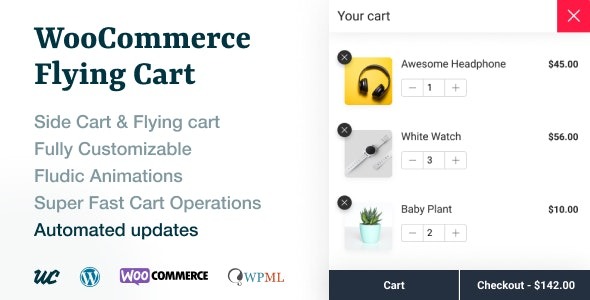
WooCommerce Flying Cart keeps your cart in sight with a floating icon that stays fixed as you scroll, letting customers view and edit contents anytime. This boosts conversions by reducing friction and speeding checkout. Easy integration and a persistent UI make it a no-brainer for any store, Type: WooCommerce
Description
The WooCommerce Flying Cart is a WordPress plugin for WooCommerce stores that keeps your shopping cart within reach at all times. Instead of forcing customers to hunt for the cart page, it provides a floating cart icon that stays fixed on screen as shoppers scroll.
With a single click, visitors can open a cart popup to view the current cart contents and make updates whenever they need to. This reduces friction during product browsing and helps keep the path to checkout clear.
By maintaining a persistent cart UI across pages, the plugin supports smoother shopping experiences in Elementor-built layouts and other theme designs, without disrupting your existing storefront flow.
Main Features
- Floating cart icon — Shows a cart access icon that remains visible while users scroll.
- Cart popup toggle — Opens a cart popup so customers can check cart contents instantly.
- Always accessible position — Keeps the icon in the same place on the screen across page changes.
- View cart contents — Lets shoppers review what’s currently in the cart without leaving the page.
- Edit cart anytime — Enables quick cart updates during browsing, not only at checkout.
- One-click access — Uses a simple interaction to open the cart overlay when needed.
- WooCommerce-focused — Built specifically for WooCommerce storefronts running on WordPress.
Benefits
- Lower friction — Reduces the steps between product interest and reviewing the cart.
- Faster checkout decisions — Helps customers confirm quantities and contents quickly.
- Better on-page UX — Keeps cart access available without interrupting browsing flow.
- Higher conversions potential — Encourages completed purchases by minimizing drop-off points.
- Improved usability — Supports clearer cart awareness across different pages and scroll positions.
Who is it suitable for?
- WooCommerce stores that want a persistent cart experience
- Ecommerce sites with long product pages and heavy scrolling
- Online shops built with Elementor and custom page layouts
- Agencies managing multiple WooCommerce client storefronts
- Content-driven stores where users browse before committing to checkout