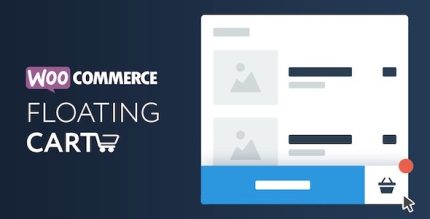
WooCommerce Floating Cart 2.8.11

WooCommerce Floating Cart is an interactive floating cart that slides in when you’re ready to buy, boosting conversion with a seamless checkout nudge. Fully customizable via WordPress Customizer with live preview and instant Ajax updates for product, quantity, and price, a modern Woocommerce solution.
Description
WooCommerce Floating Cart adds a responsive, interactive cart that stays unobtrusive until the shopper is ready to buy. When the user decides to purchase, it slides in as a floating element to keep checkout actions visible without forcing page distractions.
Designed for WordPress and WooCommerce stores, it helps reduce friction by keeping key cart details in view. It’s fully customizable through the WordPress Customizer with live preview, while Ajax updates refresh products, quantities, and prices instantly—supporting a smooth shopping experience.
Main Features
- Sliding floating cart — The cart appears as a floating panel when customers are ready to buy.
- WordPress Customizer controls — Configure the cart look and behavior directly from the Customizer.
- Live preview editing — See changes in real time while adjusting settings.
- Instant Ajax updates — Refresh product details without reloading the page.
- Live quantity adjustments — Update quantities and totals quickly as shoppers modify items.
- Real-time price updates — Keep cart pricing accurate immediately after cart changes.
- Seamless WooCommerce integration — Works with WooCommerce cart and checkout flow.
- Theme-aware presentation — Customizable styling helps match your store’s design.
Benefits
- Higher conversion potential — Keeps checkout actions accessible when intent is highest.
- Smoother UX — Ajax-powered updates reduce interruptions from full page refreshes.
- Less cart confusion — Visible, always-current products, quantities, and totals help shoppers stay oriented.
- Better shopping flow — Floating access supports continued browsing while still enabling quick cart review.
- Faster iteration for store owners — Live preview makes it easier to fine-tune the cart appearance.
Who is it suitable for?
- WooCommerce store owners looking to improve on-page checkout visibility.
- Marketing teams optimizing product pages for higher cart and checkout completion.
- Web designers and agencies customizing WordPress themes for eCommerce layouts.
- Content-driven stores where shoppers browse through multiple sections before buying.
- Online shops with frequent cart quantity and pricing changes (e.g., variable purchases).