WooCommerce Brands 4.5.0
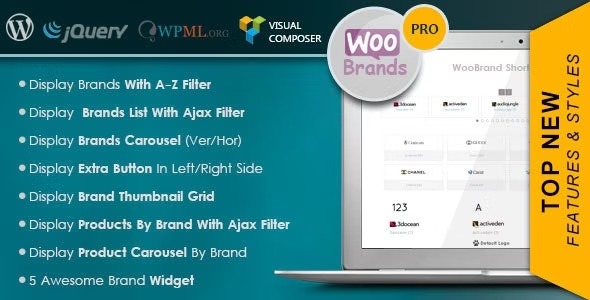
WooCommerce Brands is a WordPress plugin that lets you assign brands to products and showcase them with 10 views, carousels, and handy shortcodes. It delivers a clean, responsive design, rich localization with WPML, multisite compatibility and seamless Visual Composer integration, boosting user discovery and SEO-friendly brand filtering. Explore flexible display options and powerful brand URLs today.
Description
WooCommerce Brands is a WordPress plugin that helps you organize and showcase product brands inside your WooCommerce catalog. Instead of relying on categories alone, it lets you assign a brand to each product and present brands with multiple responsive layouts such as A–Z browsing, thumbnails, text mode, image mode, and carousel views.
With ready-to-use shortcodes, widgets, and configurable brand URLs, it supports user-friendly brand discovery and SEO-friendly filtering. The plugin is compatible with WPML for localization and works with multisite setups, while also integrating with Visual Composer for flexible page building.
Main Features
- Assign brands to WooCommerce products — Link each product to a brand so shoppers can browse by brand.
- 10 display views and multiple layouts — Use A–Z filters, thumbnail displays, text/image modes, and other brand presentations.
- 7 shortcodes — Add brand sections anywhere in your site with shortcode-based layouts.
- Create custom shortcodes — Build tailored brand output beyond the default shortcode options.
- Brand carousels (vertical and horizontal) — Show brands in vertical or horizontal slider formats with configurable item counts.
- Ajax brand product filtering — Load products by brand with an Ajax filter for smoother navigation.
- Widgets for brand navigation — Add A–Z filters, thumbnails, list/dropdown filters, and carousel widgets to widget areas.
- Brand URL and display configuration — Set permalink structures for brand URLs and control whether to show images, text, and descriptions in listings and single products.
Benefits
- Better brand discovery — Shoppers can quickly find products by brand using filters, thumbnails, and structured browsing.
- Higher engagement — Carousel and Ajax filtering improve UX by reducing friction when exploring brands.
- Cleaner, responsive UX — Multiple view types help your catalog look consistent across devices.
- SEO-friendly brand navigation — Custom brand URL structures support indexable brand browsing and clearer internal paths.
- Multilingual and multisite-ready — WPML support and multisite compatibility help maintain brand content at scale.
Who is it suitable for?
- WooCommerce stores with brand-based shopping journeys (e.g., consumer goods, electronics, accessories).
- Multilingual shops that use WPML to show brands across languages.
- WordPress multisite networks managing multiple WooCommerce catalogs.
- Agencies building catalog pages with Visual Composer and shortcode/widget sections.
- Marketplaces or B2B catalogs that need filtering by brand in product lists and single-product views.