WooCommerce Ajax Cart & Added To Cart Popup 1.6.6 – Floating/Sliding/Popup All in One Cart/Checkout Plugin
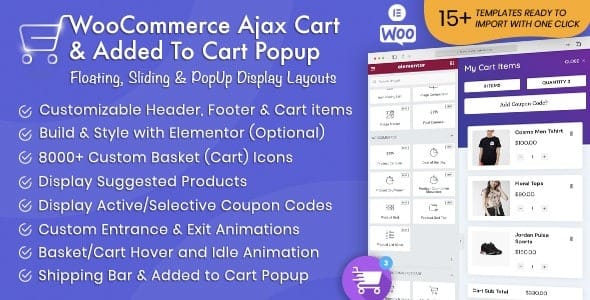
WooCommerce Ajax Cart & Added To Cart Popup is a powerful WooCommerce extension that instantly shows fancy carts in multiple locations, letting customers quickly view items they've added. It boosts conversion by reducing friction and speeds checkout, with easy setup and stylish design.
Description
WooCommerce Ajax Cart & Added To Cart Popup is a WooCommerce plugin that updates the cart instantly using AJAX, so shoppers don’t need to reload the page. When a customer adds an item, the extension can display a stylish cart preview and an “added to cart” popup to confirm the action immediately. This reduces friction during shopping and helps customers stay focused on checkout. With easy setup and customizable visuals, it fits smoothly into different store layouts.
Main Features
- AJAX-powered cart updates — Refreshes cart content without page reloads.
- Instant cart preview — Shows what shoppers just added as soon as they click “Add to cart.”
- Added-to-cart popup — Displays an on-page confirmation to improve clarity and UX.
- Multiple display locations — Enables fancy cart output in more than one area of your store.
- Stylish cart design — Presents cart elements with a clean, attractive frontend look.
- Quick customer feedback — Lets customers view items in their cart list immediately.
- Easy configuration — Simple setup so you can enable the cart and popup behavior quickly.
Benefits
- Less checkout friction — Faster feedback keeps shoppers moving toward purchase.
- Higher conversion potential — Clear cart confirmation reduces hesitation after adding items.
- Improved on-site UX — Popup and preview make cart changes understandable without distractions.
- Faster perceived performance — AJAX behavior avoids full page reloads during shopping.
- Better shopping confidence — Customers can quickly verify products added to the cart.
Who is it suitable for?
- WooCommerce stores aiming to improve cart-to-checkout flow
- Online shops that want an instant cart preview experience
- Marketers optimizing conversion rates with better cart feedback
- Theme-focused WordPress site owners needing flexible cart placement
- Stores with frequent add-to-cart interactions across pages