WooChimp 2.2.7 – WooCommerce MailChimp Integration
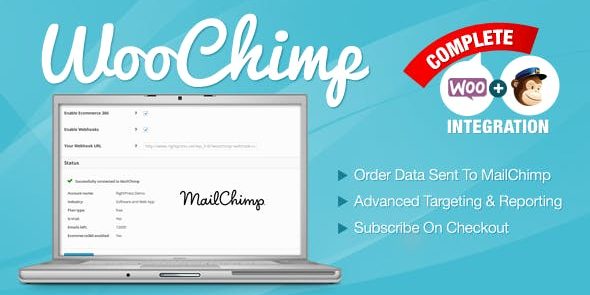
WooChimp brings MailChimp-powered email marketing to your WooCommerce store, letting you design campaigns, segment subscribers, and measure performance with ease. The main benefit is stronger customer engagement and higher sales through targeted automation. A key advantage is seamless integration and user-friendly setup, making campaigns effortless—explore this Woocommerce plugin today.
Description
WooChimp is a WooCommerce email marketing plugin that brings MailChimp-powered campaigns to your store. It helps you move from one-off newsletters to targeted engagement by syncing your subscriber audience and using segmentation to reach the right customers. With WooChimp, you can design email campaigns that align with your store goals, then track campaign performance to understand what resonates. The plugin is built to integrate smoothly with your WordPress workflow, making setup practical for teams using WooCommerce, themes, and Elementor-style page building.
Main Features
- MailChimp-powered delivery — Use MailChimp for designing, sending, and managing email marketing activity.
- Campaign creation tools — Build campaigns to communicate offers, updates, and store-related messages.
- Subscriber segmentation — Organize subscribers into groups so emails can be tailored to specific audiences.
- Targeted automation — Set up automated email actions to encourage repeat engagement and purchases.
- Performance tracking — Measure campaign results to guide future messaging decisions.
- WooCommerce integration — Connect your store marketing to better align email audiences with customer activity.
- User-friendly setup — Configure the connection with minimal friction so you can start sending faster.
Benefits
- Higher customer engagement — Send more relevant content with segmentation to improve opens and clicks.
- More sales from targeting — Encourage purchases with email flows focused on the right shoppers.
- Better marketing decisions — Use performance insights to refine campaigns and reduce guesswork.
- Stronger workflow efficiency — Keep store marketing connected to WordPress and WooCommerce without complex processes.
- Improved subscriber management — Maintain organized lists that reflect your audience over time.
Who is it suitable for?
- WooCommerce store owners running ongoing email campaigns
- Marketing managers who want MailChimp capabilities inside WooCommerce
- Agencies managing multiple WordPress and WooCommerce client sites
- Small-to-mid online brands focused on retention and repeat purchases
- Content-driven stores that need segmented subscriber outreach