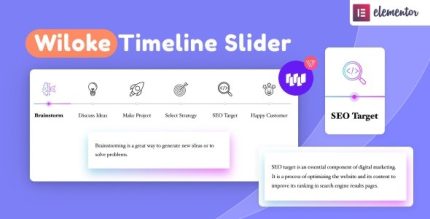
Wiloke Timeline Slider for Elementor 1.0.0

Wiloke Timeline Slider for Elementor is a WordPress plugin that lets you create stunning, interactive timelines in minutes, elevating storytelling and audience engagement. Its user-friendly interface and extensive customization make timeline design a breeze, with seamless Elementor integration, responsive layouts, and a compelling way to showcase content.
Description
Wiloke Timeline Slider for Elementor is a WordPress plugin designed to help you build interactive timelines directly inside Elementor. Instead of relying on static layouts, it lets you present steps, milestones, or story chapters in a visually engaging way. It solves the common problem of making chronological content hard to scan or boring to read by turning it into an organized timeline slider. With a user-friendly interface and extensive customization options, you can quickly match the timeline to your brand. The plugin’s Elementor integration and responsive layouts make it practical for modern websites that need consistent results across devices.
Main Features
- Elementor integration — Create and place timeline sliders within Elementor-based pages and templates.
- Interactive timeline slider — Present sequential content in a dynamic, story-friendly format.
- Easy-to-use builder — Configure your timeline without complex setup steps.
- Extensive customization — Adjust timeline presentation to suit different styles and content needs.
- Responsive layouts — Keep the timeline readable and well-structured on mobile, tablet, and desktop.
- Content-focused display — Showcase key information in a clear, scannable timeline layout.
- Design flexibility for storytelling — Structure your narrative or process to guide visitors step by step.
Benefits
- Better audience engagement — Interactive timeline presentation helps visitors stay focused on your content.
- Improved UX — A structured timeline makes chronological information easier to understand and follow.
- Faster content creation — Elementor-based workflow reduces the effort needed to build engaging sections.
- More consistent branding — Customization options help your timeline align with your site’s visual identity.
- Device-ready viewing — Responsive layout behavior supports a smoother experience across screen sizes.
Who is it suitable for?
- WooCommerce stores showcasing processes, launches, or customer journeys
- Business websites that need clear milestone or “how it works” sections
- Agencies creating client pages with Elementor and template kits
- Content teams building timeline-style storytelling for landing pages
- Online schools and training sites presenting curriculum stages
- Freelancers and creators using Elementor for fast, reusable layouts