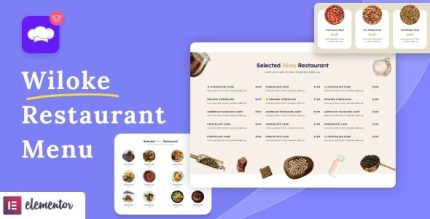
Wiloke Restaurant Menu for Elementor 1.0.23
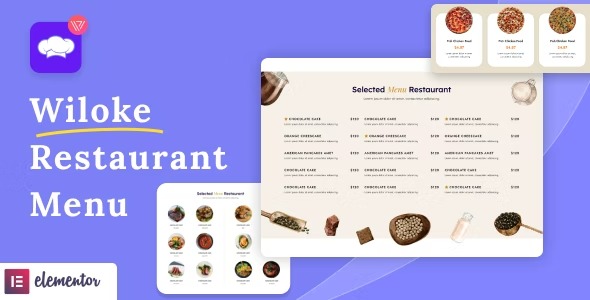
Wiloke Restaurant Menu for Elementor lets you craft beautiful menus that convert visitors into paying customers. With multiple tab and list layouts, each dish shows description, price, and image to guide orders for WordPress. Easy setup, stunning design, and seamless Elementor integration boost conversions—explore the menu you can trust.
Description
Wiloke Restaurant Menu for Elementor is a WordPress plugin that helps you build restaurant menus inside Elementor. It’s designed to solve the problem of unclear menus that don’t guide visitors toward ordering. You can present each item with the details people need—description, price, and image—in a clean, easy-to-scan format.
With multiple menu layouts, including tab and list styles, visitors can quickly find what they want without digging through long pages. The plugin focuses on design clarity and smooth Elementor integration, so you can create menus that feel tailored to your brand and improve the order journey.
Main Features
- Elementor integration — Build and edit your menu directly within the Elementor workflow on WordPress.
- Tab menu layouts — Organize menu sections into tabs for faster browsing.
- List menu layouts — Use list-style menus that keep dishes readable and well-structured.
- Dish description field — Display item descriptions so customers understand what they’re ordering.
- Price display — Show pricing next to each dish to reduce friction in the decision process.
- Dish image support — Add images to make menu items more appealing and easier to choose.
- Multiple menu options — Create menus with different layout styles to match your page design.
- Quick setup — Get your menu live with an approachable setup process that fits standard WordPress usage.
Benefits
- More confident choices — Clear descriptions, images, and prices help visitors decide faster.
- Higher conversions — A menu that’s easy to browse supports a stronger path from interest to order.
- Improved user experience — Tab and list layouts reduce scrolling and help users find items quickly.
- Better on-page clarity — Consistent dish presentation keeps the menu readable on real restaurant pages.
- SEO-friendly content structure — Well-organized menu sections can support better indexing and page relevance for food queries.
Who is it suitable for?
- Restaurant and cafe websites
- Food and beverage brands using Elementor
- WooCommerce stores that want dedicated restaurant-style menus
- Agencies building landing pages for hospitality clients
- Menus for events, catering pages, and online ordering sections
- Content creators managing food blogs with Elementor-based designs