Wiloke Product Categories Elementor 1.0.0

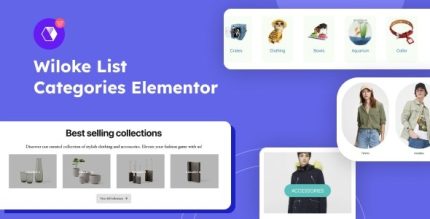
Wiloke Product Categories Elementor is a dynamic WordPress addon that lets you showcase product categories in four stylish styles with full link customization. Its main benefit: flexible, visually appealing layouts for any store or blog, plus features like custom images, colors, and per-row control. A lightweight, easy-to-use tool designed for creativity and seamless integration.
Description
Wiloke Product Categories Elementor is a WordPress addon built for Elementor that helps you display your product categories in a clean, engaging way. Instead of relying on a single preset layout, it provides four stylish category styles designed to fit different website designs. It also solves a common catalog issue: visitors need clear navigation to the right category, whether you link to a WooCommerce product archive, a specific landing page, or even an external URL. With flexible link customization and layout controls, you can tailor category grids to your store’s or blog’s theme for a more intentional user experience.
Main Features
- Four display styles — Choose from four distinct layouts to present your categories.
- Full link customization — Set custom destinations for each category item, not just the default category page.
- Custom images — Assign unique category images to improve visual recognition.
- Custom colors — Adjust category colors to match your brand and theme.
- View more button — Add a “view more” element to guide users toward additional content.
- Items per row control — Control layout density by setting how many categories appear per row.
- Per-row layout flexibility — Fine-tune the category grid structure for different page sections.
- Elementor-ready widget — Use the addon inside the Elementor page builder workflow.
Benefits
- Better navigation — Custom links help route visitors to the most relevant pages and collections.
- Improved UX layout — Controlled items per row creates a more readable, balanced grid.
- Stronger category identity — Custom images and colors make each category easier to spot.
- Higher engagement — A view more button encourages continued browsing.
- More design consistency — Four styles let you match category sections to different templates and themes.
Who is it suitable for?
- WooCommerce store owners who want a more customizable category grid.
- WordPress bloggers using Elementor to highlight topics or series.
- Web design agencies building Elementor layouts for multiple clients.
- Ecommerce marketers creating category-based landing sections.
- Content creators who need flexible category linking for mixed content.
- Small teams updating their storefront navigation without complex development.