Wiloke Filter Cards Elementor Addon 1.0.0
Description
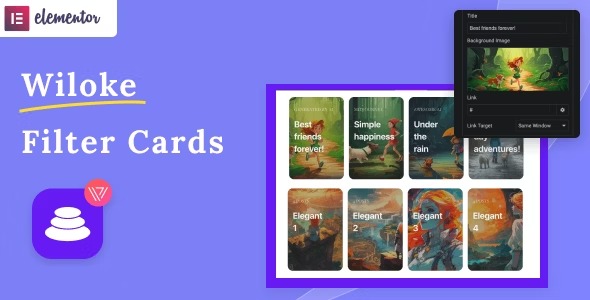
Wiloke Filter Cards Elementor Addon is a WordPress plugin designed to help you build card-style content layouts directly in Elementor. It lets you display posts, categories, or manually added items in a clean, modern grid that draws attention. With eye-catching hover effects, visitors get visual feedback that improves browsing comfort. Instead of relying on custom HTML/CSS, you can shape the look of your cards visually, then reuse the same layout patterns across pages.
Whether you’re promoting blog content, organizing category hubs, or curating a set of manual items, this Elementor add-on supports a polished presentation that feels consistent and purposeful. Ideal for teams who want faster page building in WordPress while keeping the design focused on engagement.
Main Features
- Card-style layouts — Create modern card grids for structured content presentation.
- Post showcase — Display WordPress posts as individual cards for easy discovery.
- Category displays — Build card collections based on WordPress categories.
- Manual item adding — Include custom entries as cards when you need curated content.
- Hover effects — Add interactive hover animations to make cards feel responsive.
- Filter cards layouts — Organize card sets so users can narrow what they see within the layout.
- Elementor integration — Build and edit designs within Elementor’s visual workflow.
- Reusable templates — Maintain consistent styling across different pages using the same card approach.
Benefits
- More engagement — Hover interactions and card visuals encourage users to explore.
- Improved UX browsing — Structured grids make it easier to scan posts and categories.
- Faster page building — Visual setup in Elementor reduces manual layout work.
- Content clarity — Card organization helps visitors understand what each section offers.
- Design consistency — A unified card style supports cohesive pages across your WordPress site.
Who is it suitable for?
- WooCommerce-adjacent blogs that need engaging post/category grids.
- WordPress publishers creating content hubs and archive-style pages.
- Web agencies building Elementor-based designs for clients.
- Content creators curating featured lists with manual items.
- Small business sites that want clearer navigation to categories and key pages.
- Education or community sites organizing learning resources by cards.