Wiloke Expanding Flex Cards Elementor Addon 1.0.0

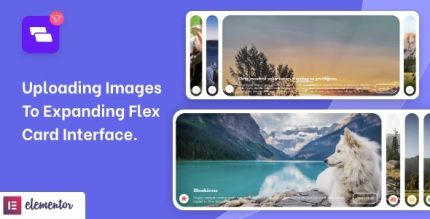
Wiloke Expanding Flex Cards Elementor Addon is a WordPress plugin that turns images and post types into interactive expanding cards in Elementor. It gives you full control over item count and included post IDs, delivering a visually stunning, customizable content showcase. A lightweight widget with easy styling, perfect to boost engagement and UX.
Description
Wiloke Expanding Flex Cards Elementor Addon is a WordPress plugin for creating interactive expanding flex cards directly inside Elementor. It helps you present images and WordPress post types in a clean, modern card interface designed to draw attention to your content. Instead of using static grids, you can showcase items in an engaging layout that improves how visitors scan and explore pages.
With the Elementor widget, you get practical control over how many cards appear and which specific post IDs are included. That makes it easy to build tailored content sections for portfolios, product-style listings, blog highlights, and more—without complex setup.
Main Features
- Expanding flex card interface — Displays images and post content in an expanding card layout for interactive browsing.
- Elementor widget integration — Adds a dedicated widget you can place and configure within Elementor pages.
- Image and post type support — Lets you showcase visual items alongside WordPress post types.
- Item count control — Choose how many cards are displayed in the widget output.
- Included post ID selection — Select specific post IDs to control exactly which content appears.
- Customizable layout styling — Adjust the look and feel of the expanding cards to match your site design.
- Reusable content showcase — Build consistent card sections across multiple pages using the same widget structure.
- Lightweight widget approach — Focuses on delivering the flex card experience with straightforward configuration inside Elementor.
Benefits
- More engaging UX — Interactive expanding cards help users spend more time exploring your content.
- Better content targeting — Selecting item counts and post IDs makes it easier to feature the most relevant posts.
- Stronger visual consistency — Styling controls help match your branding across pages and sections.
- Clearer browsing — A card-based interface improves scanning and reduces the effort to find key items.
- Efficient page building — Elementor-based placement streamlines creating reusable layouts without manual markup.
Who is it suitable for?
- WooCommerce store owners showcasing featured products or collections-style content sections.
- Bloggers and editorial sites highlighting selected posts or categories with a visual twist.
- Web designers and agencies building consistent Elementor sections for multiple clients.
- Portfolio creators and creative studios presenting images and posts in an interactive gallery.
- Online course and resource platforms featuring curated lessons, guides, or updates.