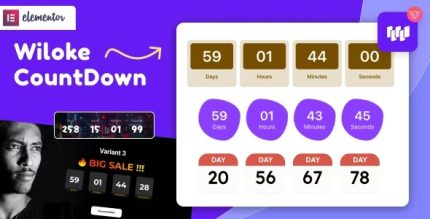
Wiloke Countdown Timer for Elementor 1.0.21
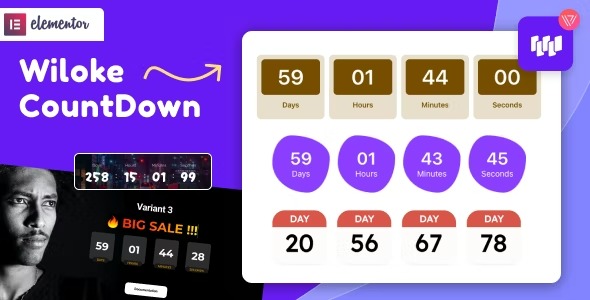
Wiloke Countdown Timer for Elementor helps you ignite urgency and FOMO during key marketing moments, converting visitors faster. This WordPress timer tool integrates seamlessly with Elementor, delivering a sleek, customizable countdown that fits any design. Try it to boost engagement today and never miss a deadline moment.
Description
Wiloke Countdown Timer for Elementor is a WordPress plugin designed to add clear countdowns to your marketing pages. It helps you create urgency and light FOMO around important moments like launches, promotions, and deadlines. By embedding a countdown directly inside Elementor layouts, you can keep the experience consistent with your site design.
Instead of relying on hard-to-style elements, the plugin provides a sleek, customizable timer you can place where visitors will see it. It’s built for real campaign use: you set the countdown, integrate it into your Elementor page, and guide attention toward the next action.
Main Features
- Elementor integration — Add the countdown inside Elementor using the plugin’s widget/workflow.
- Countdown timing — Configure a set start/end moment for your campaign deadline.
- Customizable design — Adjust the timer appearance to match your theme and page styling.
- Responsive output — Display correctly across common screen sizes for better readability.
- Easy placement — Position the timer within Elementor sections, columns, and layouts.
- Marketing-focused messaging — Supports urgency-driven visuals tied to your key campaign moments.
- Sleek UI presentation — Keeps the countdown visually clean and attention-friendly.
- Works on WordPress sites — Fits naturally into standard WordPress + Elementor setups.
Benefits
- Higher engagement — Encourages visitors to act sooner when a deadline is visible.
- Improved conversions — Helps funnel attention toward sign-ups, purchases, or registrations during key windows.
- Better UX on landing pages — A consistent Elementor-styled countdown reduces distraction and confusion.
- Campaign consistency — Keeps urgency cues aligned with your layout, theme, and template design.
- Faster content updates — Update the countdown setup without rebuilding page sections from scratch.
Who is it suitable for?
- WooCommerce stores planning seasonal sales or limited-time offers.
- Marketing agencies building Elementor-based landing pages for clients.
- Bloggers and content creators promoting webinar dates, courses, or product releases.
- Online schools and course providers running cohort start deadlines.
- Product teams launching new features or applications on specific release schedules.