Wiloke Awesome Pricing Table for Elementor 1.0.24
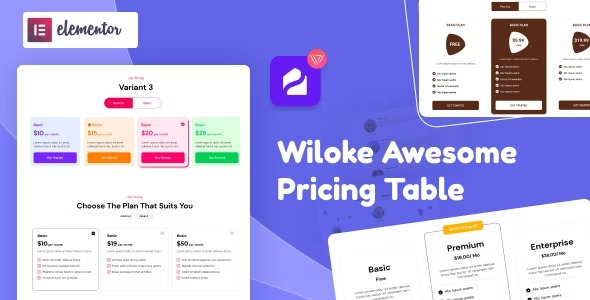
Wiloke Awesome Pricing Table for Elementor helps WordPress users present clear, side-by-side product and price comparisons, boosting conversions. With a clean design, easy customization, and seamless Elementor integration, it makes pricing decisions quick for customers and saves you time.
Description
Wiloke Awesome Pricing Table for Elementor is a WordPress plugin designed to help you build clear, side-by-side pricing and product comparisons directly inside Elementor. It solves the problem of scattered or hard-to-read offer information by presenting plans, prices, and details in a structured layout customers can understand quickly.
Instead of manually arranging sections, you can create an organized pricing section with a clean design and straightforward customization. The tight Elementor integration helps you place the table in the exact area of your page, so visitors can compare options faster and you spend less time preparing conversion-focused layouts.
Main Features
- Elementor-ready pricing table — Add pricing comparison layouts to Elementor pages using a dedicated pricing table element.
- Side-by-side plan comparison — Display multiple options in columns so users can scan products and prices at a glance.
- Organized pricing layout — Present offer information in a consistent structure that supports clearer decision-making.
- Clean, modern styling — Use a tidy visual design that keeps pricing content readable and focused.
- Easy customization in Elementor — Adjust the table styling and content directly from the Elementor editing experience.
- Flexible section building — Create a dedicated pricing area for landing pages, marketing pages, or product sections.
- Content-friendly structure — Arrange plan names, pricing, and supporting details in a way that works for comparisons.
- Time-saving workflow — Reduce manual layout work by starting from a purpose-built pricing table design.
Benefits
- Faster comparisons — Clear side-by-side presentation helps visitors evaluate options more quickly.
- Higher conversions — When pricing is easier to understand, more users are likely to take the next step.
- Better UX — A structured, clean layout reduces confusion and improves readability on the page.
- More efficient editing — Elementor integration streamlines updates when plans, prices, or wording change.
- Consistent presentation — Standardized styling keeps every pricing section uniform across your site.
Who is it suitable for?
- WordPress website owners building service or subscription pages
- Businesses creating landing pages that need clear pricing options
- Marketing teams and content managers updating offers regularly
- Agencies designing Elementor-based client websites
- Product and SaaS teams presenting multiple plan choices
- Bloggers and creators who want organized pricing for digital offers