WhatsApp Chat WordPress 3.8.2
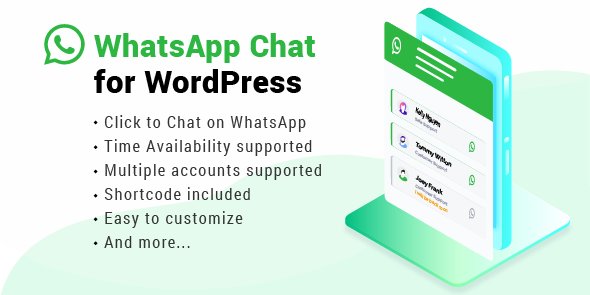
WhatsApp Chat for WordPress is a WordPress plugin that embeds WhatsApp messaging on your site, helping you offer instant support and build trust with visitors. The main benefit is increased engagement and conversion by seamless, direct communication. With easy setup and smooth integration, you can boost customer loyalty—start chatting with visitors today.
Description
WhatsApp Chat WordPress is a WordPress plugin that embeds WhatsApp messaging directly on your site, so visitors can start a conversation without leaving the page. It addresses a common support and trust gap by giving users an immediate, familiar way to reach you. For WooCommerce stores and service websites, it helps reduce hesitation by enabling direct communication at the moment of need.
Built for easy setup and smooth integration, the plugin works alongside popular WordPress themes and page layouts, including Elementor-based designs. By encouraging quick questions and timely replies, it supports stronger engagement and helps turn casual visits into meaningful interactions.
Main Features
- Embedded WhatsApp messaging — Integrates WhatsApp chat on your WordPress site for on-page conversations.
- Instant visitor outreach — Enables users to start messaging quickly from your website.
- Support-focused communication — Helps you respond to questions and provide assistance directly in WhatsApp.
- Trust-building presence — Shows a real communication channel that can increase visitor confidence.
- Easy WordPress setup — Designed to be straightforward to configure and place where needed.
- Theme and layout compatibility — Integrates smoothly with common WordPress themes and page designs.
- Useful for marketing interactions — Encourages ongoing conversations that can support customer loyalty.
Benefits
- Higher engagement — Visitors can contact you immediately, increasing interaction rates.
- Better conversions — Faster answers remove uncertainty and support purchasing or signup decisions.
- Improved customer support — Direct WhatsApp messaging streamlines response to common questions.
- Stronger trust signals — A visible chat option reassures users they can reach you.
- More repeat interactions — Ongoing WhatsApp conversations can improve loyalty and retention.
Who is it suitable for?
- WooCommerce stores that want faster product and order support.
- Service businesses that rely on inquiries and appointment requests.
- Websites built with Elementor or other WordPress page layouts.
- Agencies managing multiple WordPress client sites.
- Online communities and membership brands seeking better engagement.
- Content-driven businesses that want to convert readers into conversations.