WhatsApp Chat Support 3 – jQuery Plugin
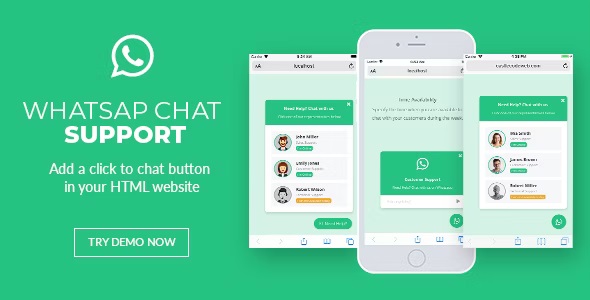
WhatsApp Chat Support lets visitors message your team directly on WhatsApp from any page as a WordPress plugin, turning inquiries into fast, friendly conversations. Enjoy quick setup, seamless integration, and a boost in response rates—the main benefit is hassle-free client communication. Ideal for WordPress users who want real-time support without leaving the site; explore it today.
Description
WhatsApp Chat Support is a WordPress plugin that adds a WhatsApp messaging option to your site, allowing visitors to contact your team directly from the page they’re viewing. Powered by jQuery, it helps you turn website inquiries into real-time conversations without forcing users to switch apps or hunt down contact details. Instead of relying only on forms or email, you can offer a familiar chat experience that fits naturally into your existing WordPress layout. It’s designed for quick setup and straightforward integration across your pages, making support and communication feel effortless for both visitors and your team.
Main Features
- WhatsApp chat button — Provides a clear way for visitors to start a WhatsApp conversation from your website.
- Direct messaging to your team — Sends customer messages to your support contact for faster follow-up.
- jQuery-based WhatsApp support — Uses a lightweight approach to power the chat interaction.
- Works from any page — Lets you place WhatsApp contact access wherever visitors need help.
- Quick and easy setup — Helps you enable the chat flow with minimal configuration steps.
- Mobile-friendly communication — Encourages quick, chat-style conversations that align with how users already message.
- Seamless WordPress integration — Designed specifically for WordPress sites to improve onsite support.
Benefits
- Faster response times — Messages reach your team immediately, reducing delays common with email and forms.
- Higher engagement — Visitors can contact you in one tap, leading to more completed conversations.
- Better user experience — Users stay oriented on your site while choosing WhatsApp for quick clarification.
- More efficient support — Centralizes incoming questions into a single chat channel your team can manage.
- Improved lead handling — Converts inquiries into direct conversations, supporting smoother customer journeys.
Who is it suitable for?
- WooCommerce store owners who want quicker product and order questions handled via WhatsApp.
- Service businesses needing fast customer support (consulting, agencies, local services).
- Freelancers and small teams offering pre-sales or onboarding assistance.
- Websites with active inquiry flows that currently rely mainly on contact forms.
- Brands running campaign pages where visitors need immediate answers.
- WordPress site owners looking to add real-time chat access without complex setup.