WhatsApp Chat for WordPress and WooCommerce 1.2.1
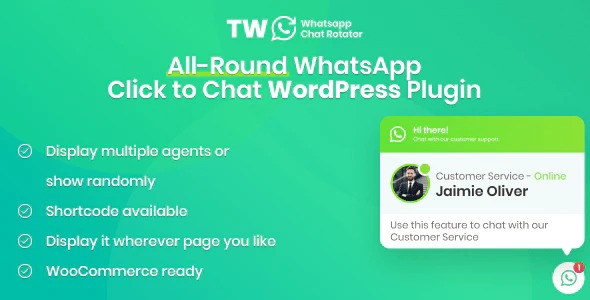
WhatsApp Chat for WordPress and WooCommerce makes it easy to display WhatsApp chat buttons across your site, delivering instant support for customers. It rotates agents evenly and lets you assign view percentages, so you control who chats at any moment. A lightweight WordPress plugin that integrates smoothly with WooCommerce to boost engagement and conversions.
Description
WhatsApp Chat for WordPress and WooCommerce is a lightweight plugin that helps you add WhatsApp chat buttons across your WordPress site. It’s designed to make reaching your team simple, improving the way visitors request help and support.
For WooCommerce stores, the plugin integrates smoothly so customers can start WhatsApp conversations while browsing products, pages, or checkout-related areas. It also solves the common “who should respond?” problem by rotating your chat agents evenly, rather than showing the same contact every time.
With view percentages per agent, you can control how often each agent appears. This is useful when you have multiple departments or several agents and want one agent to be shown more frequently than another.
Main Features
- WhatsApp chat button display — Adds chat buttons to your WordPress site for easy visitor access.
- WordPress integration — Works as a WordPress plugin to place WhatsApp entry points across your content.
- WooCommerce compatibility — Integrates with WooCommerce environments where customers need quick contact options.
- Agent rotation (randomize) — Randomizes agents to distribute chats more evenly.
- Even rotation control — Helps ensure each configured agent is shown fairly over time.
- View percentage per agent — Assign custom visibility weights to agents based on your needs.
- Controlled agent selection — Displays only the agent chosen by the configured percentages when multiple agents are available.
- Multi-agent setup for departments — Supports scenarios where different agents belong to the same or different departments.
Benefits
- Faster support access — Reduces friction for customers who prefer WhatsApp for instant questions.
- Balanced chat distribution — Spreads conversations across agents to avoid overloading a single person.
- Better response control — Lets you prioritize certain agents by setting view percentages.
- Higher engagement — Increases the likelihood of starting a chat from product and site pages.
- More consistent UX — Keeps visitors interacting with the correct chat option without manual switching.
- Conversion-friendly contact flow — Supports quicker resolution of buying questions, helping improve outcomes.
Who is it suitable for?
- WooCommerce stores that want instant WhatsApp support for shoppers
- WordPress sites with multiple customer service agents
- E-commerce brands managing different departments or roles
- Agencies running client WordPress builds with WhatsApp-based contact
- Teams that need weighted routing between agents
- Online businesses seeking smoother engagement across site pages